Introducing Member Shop: Sell Your Studio Merchandise Directly Through Clovo

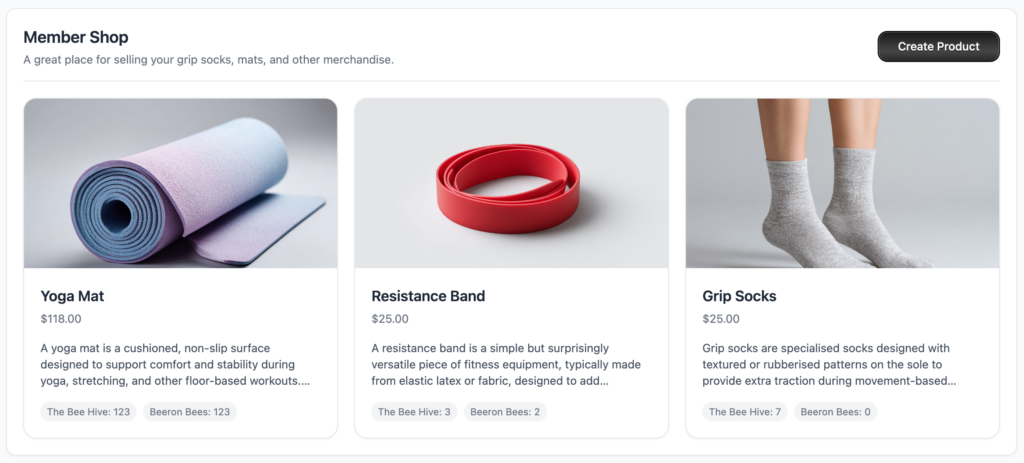
We’re excited to introduce one of our most requested features – the Member Shop. It’s a simple, built-in way for fitness studios to sell physical merchandise directly through Clovo, without needing a separate e-commerce platform or clunky workarounds.
Whether you’re selling grip socks, branded water bottles, yoga mats, or resistance bands, the Member Shop makes it easy to list products, track stock, and manage sales – all from the same dashboard you already use every day.
Why We Built It
We kept hearing the same thing from studio owners: “I want to sell a few products to my members, but I don’t need a full online store.” Setting up a Shopify or WooCommerce just to sell grip socks felt like overkill. So we built something that fits right into the workflow you already have.
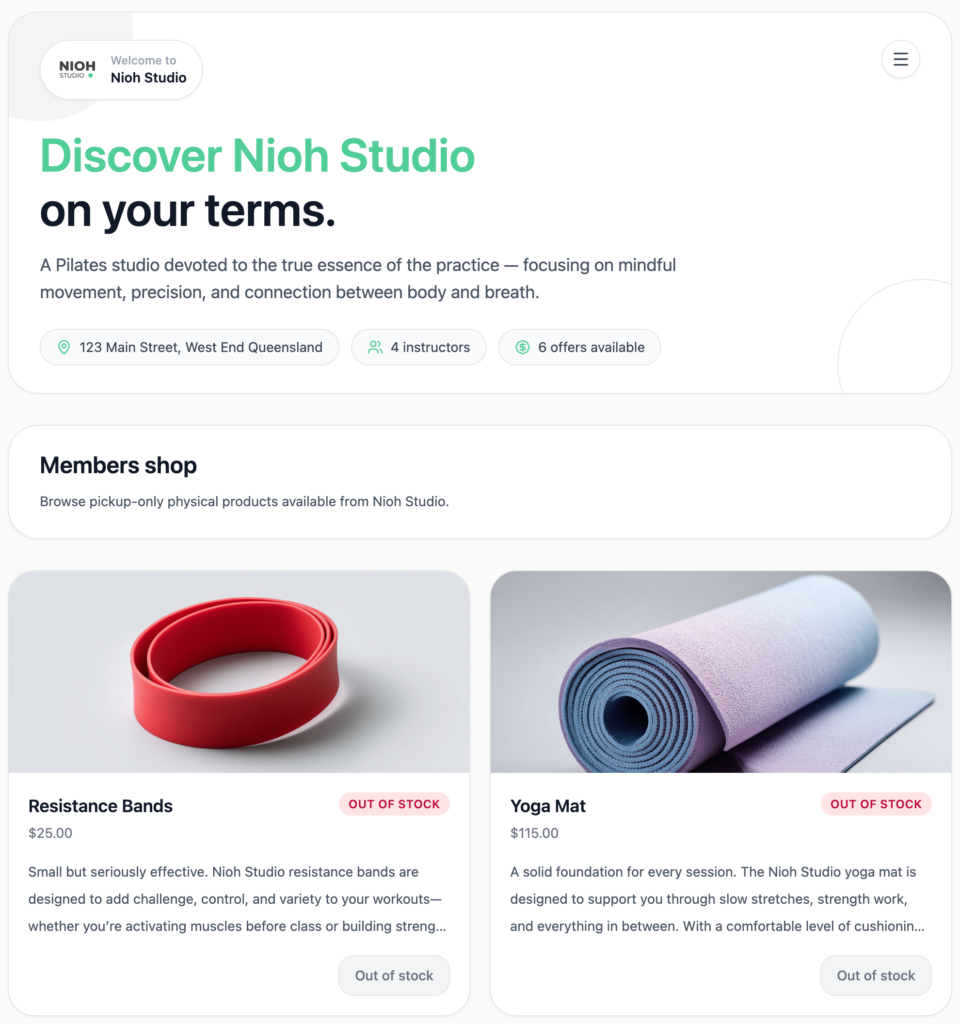
The Member Shop lives inside your Clovo dashboard under Products > Shop. Your members can browse and purchase items directly from your public landing page or through the Clovo client app. They select a pickup location, complete the purchase, and you handle fulfilment at the studio. No shipping logistics, no packing slips – just simple in-studio pickups.
What You Can Sell
The Member Shop supports physical products that members can pick up at your studio. Think grip socks, yoga mats, water bottles, branded merchandise, resistance bands, or anything else you stock at your location. It’s designed for the kind of retail that naturally fits alongside a fitness studio – not digital products or online courses, just real items your members can grab on their way to class.
Multi-Location Stock Tracking
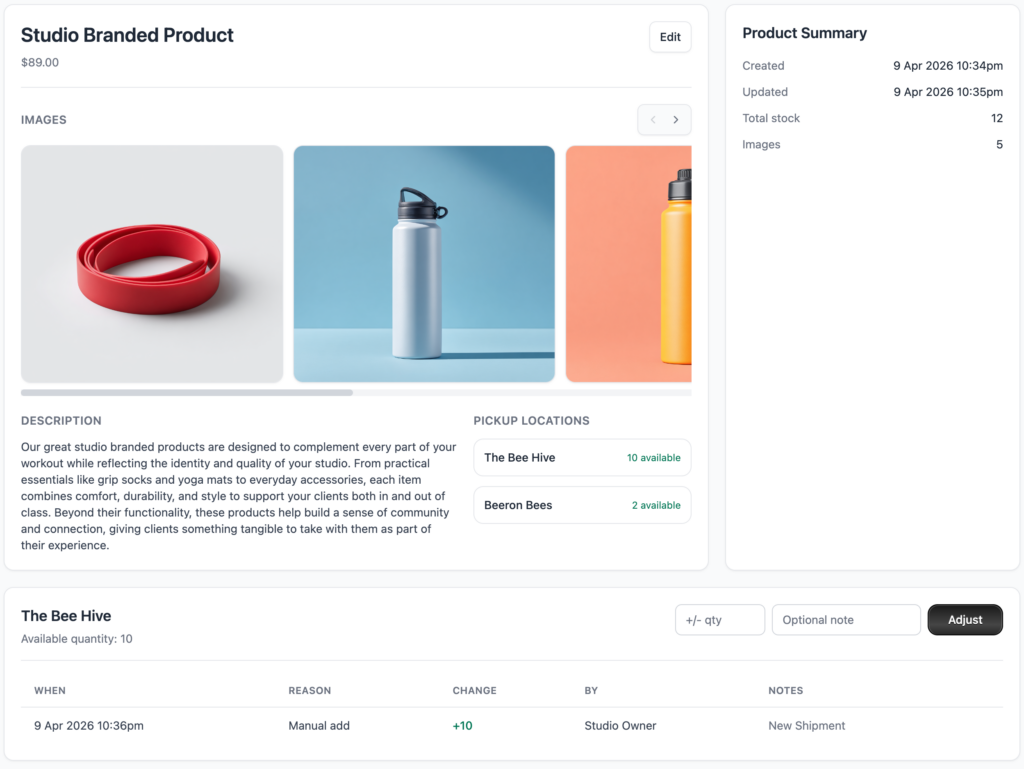
If you run more than one studio, this one’s for you. You can set and manage separate stock levels for each location. When a member purchases a product and selects their preferred pickup spot, the stock at that specific location is automatically reduced. No manual adjustments needed.
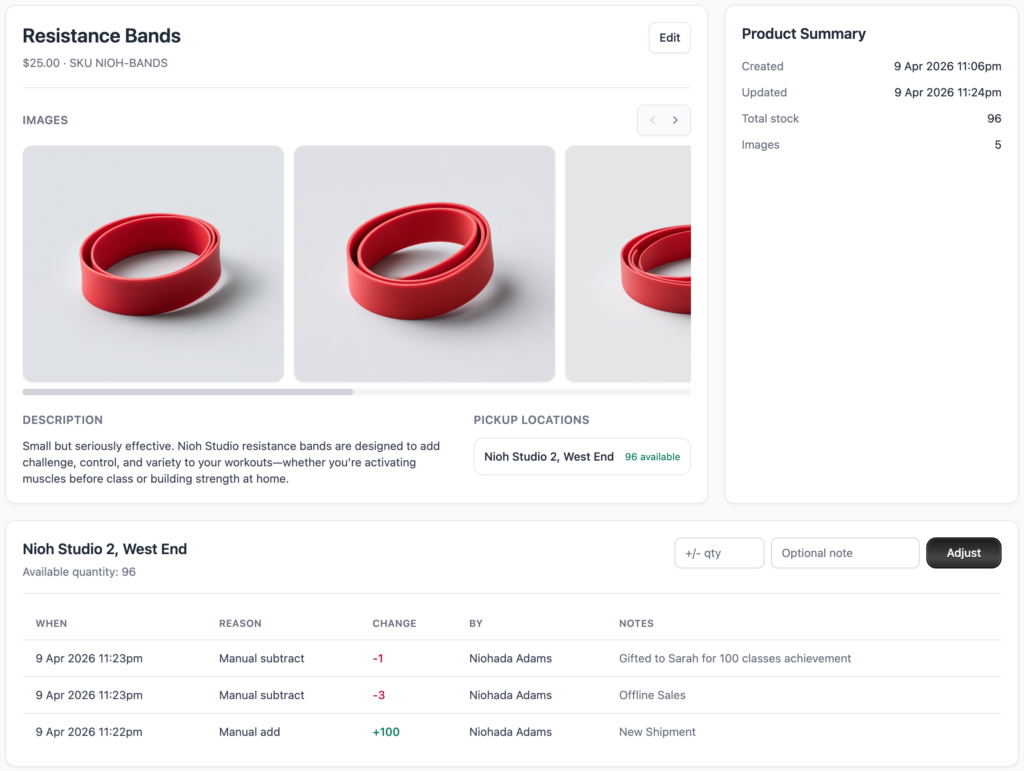
Every stock change is recorded in a detailed stock ledger that tracks the date, reason, quantity, who made the change, and optional notes. It gives you a complete audit trail so you always know exactly what happened and when.
Effortless Sales Management
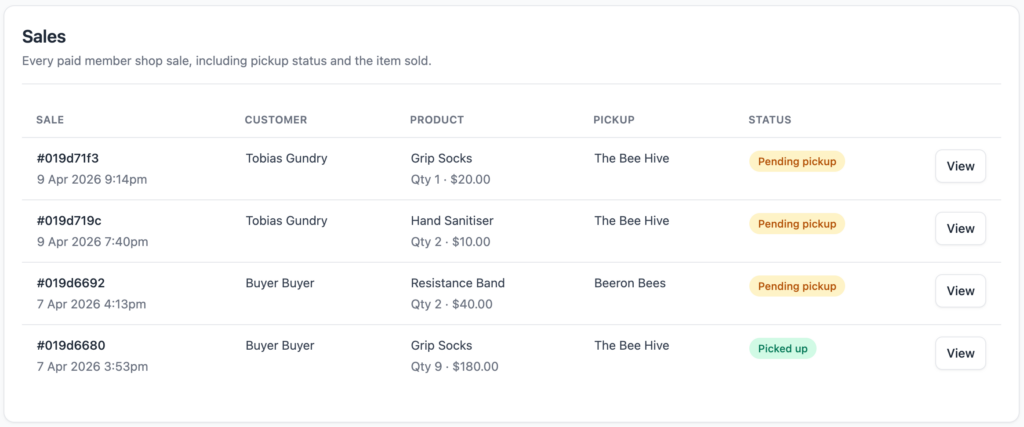
Every sale is tracked in the Sales tab with the customer’s details, the product they purchased, their chosen pickup location, and the fulfilment status. You’ll always know who ordered what and where they’re picking it up.
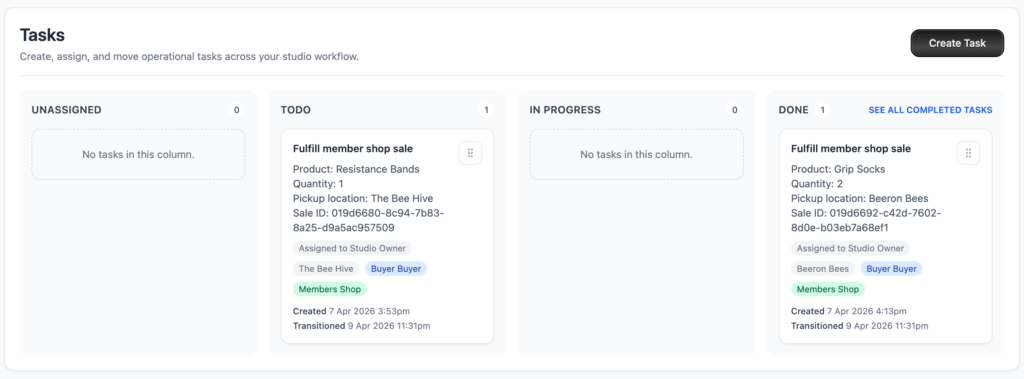
One of the standout features is automatic task creation. When enabled, Clovo automatically generates a staff task every time a sale is paid. This means your team can manage order fulfilment from the tasks board instead of constantly checking the Sales tab. It’s a small detail that makes a big difference when you have multiple staff members handling pickups.
Getting Started
Setting up your first product takes about 15 minutes. Head to Products > Shop in your dashboard, click Create Product, and fill in the details – title, description, price, pickup locations, and starting stock quantities. Upload a few product images and you’re live. A new Shop tab will automatically appear on your public landing page alongside your Schedule, Plans, and Packs.
You can edit products anytime, adjust stock levels on the fly, and configure automation settings like automatic task creation under Shop Settings.
Available Everywhere Your Members Are
The Member Shop works across the studio dashboard, your landing pages, the Clovo iOS app, and the Clovo Android app. Your members can browse and purchase from whichever platform they prefer, and everything syncs back to your dashboard in real time.
For more detailed instructions on setting up products, managing stock, and configuring your shop, check out our support documentation.
The Member Shop is available now for all Clovo studios. Log in to your dashboard and start selling today.