Your own address
One link, ready to share
Choose a memorable .clovo.app address for your studio. Put it in your bio, email signature, newsletters or website booking button.

 Clovo Booking App
Your branding inside Clovo, after download and studio selection.
 Studio Management Dashboard
Manage schedules, clients, payments and more in one place.
 Landing Pages
Showcase classes and pricing on your own .clovo.app page.
 Member Shop
Sell studio merchandise through the app your members use.
 Client Records
Keep progress notes, forms and agreements securely together.
 Integrated Admin App
Manage your studio from the Clovo app, wherever you are.
 Website Add-ons
Add live schedules and ways to buy to your existing website.
 Retention
Spot clients drifting away and reconnect before they leave.
 Clovo Kiosk
Turn a spare iPad into self check-in and a studio showcase.
 Growth
Grow your studio with reporting, offers, reviews and referrals.
Your studio, timetable and offers. Ready to book from any browser.
From your Instagram bio, a search result or a friend’s message straight to your studio.
Your landing page brings discovery, booking and buying together, with the studio information you already manage in Clovo.
Your own address
Choose a memorable .clovo.app address for your studio. Put it in your bio, email signature, newsletters or website booking button.
Less friction
Visitors can explore, create an account, book and purchase in a browser. They can take their first step while the motivation is there.
Your identity
Your logo, colours and studio description set the scene. Instructors, locations and custom pages help visitors get to know you.
Connected to Clovo
Your timetable, memberships and packs come from the same platform you use to run your studio. Less double-handling, more time for your clients.
Give new clients a place to start
An introductory pack or free trial can turn curiosity into a first visit. Feature the offers you want people to see first, with clear pricing and a direct next step.
Share a link to a specific membership or pack from a campaign or email, so people land on the offer you’ve just told them about. Recurring memberships, flexible class packs and trials each have their own place.
Choose which offers appear first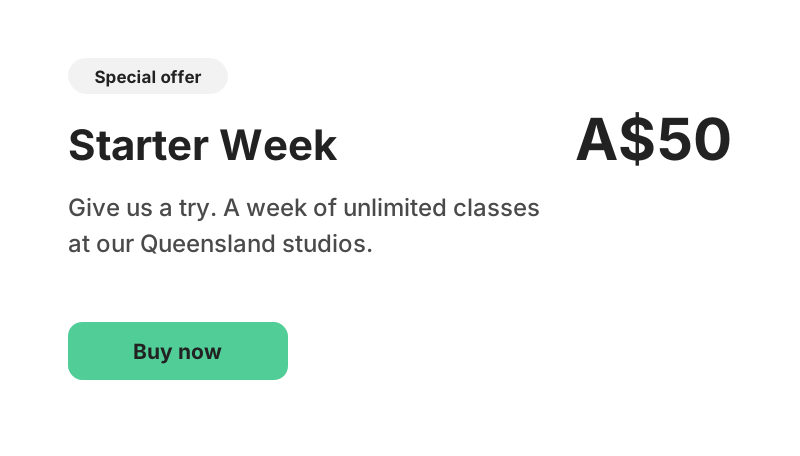
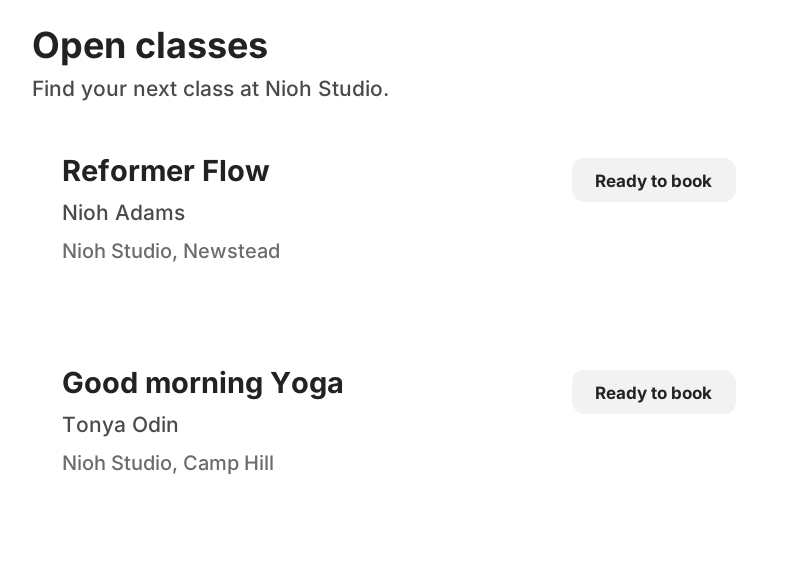
One schedule to keep current
Give people the information they need to find a class that fits. Your landing page draws on your Clovo timetable, with class details, instructors, locations and availability together.
When you change your schedule in Clovo, you’re updating the source your landing page uses too. There’s no separate website timetable to rebuild or screenshot to replace.
Everything they need before they book
Let visitors read about the class, meet their instructor and check where to go before they commit. The booking action is right there when they’re ready, with sign-in and payment handled through Clovo.

A shared link opens your branded page on mobile, tablet or desktop.
Explore a class, introductory offer, membership or pack.
Create an account or sign in, then take the next step in the browser.
Confidence before the first visit
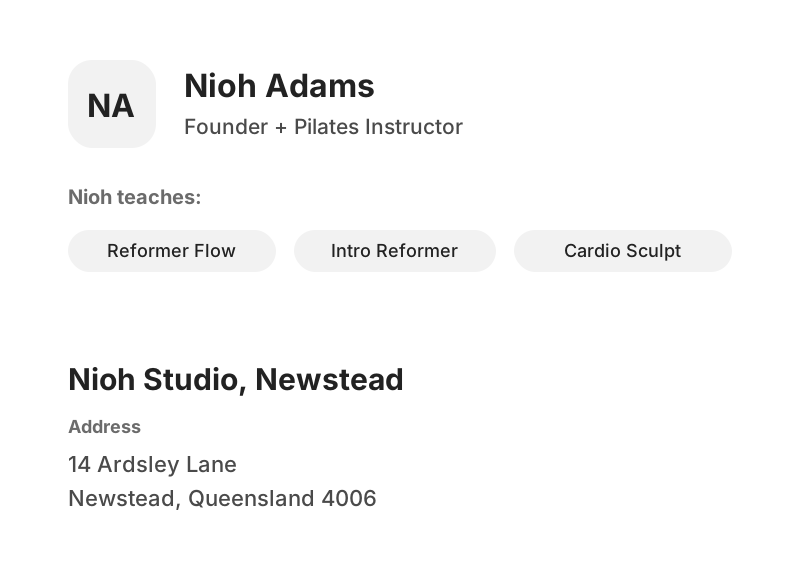
A new client is choosing more than a time slot. Instructor profiles put a face to your classes, with biographies and the sessions each instructor teaches.
Location pages make your venues and addresses easy to find. Whether you have one studio or several, people can see where a class happens before they leave home.

Make every shared link work harder
Clovo creates page titles, descriptions and branded sharing images from your public studio content. A link to a class or offer can carry its own context when it’s shared, instead of looking like a generic booking link.
Public pages are prepared for search engines, with a sitemap and information about your studio, classes and offers. Keep your descriptions and profiles current so there’s useful detail for people to discover.
Connect the visit to the outcome
Connect your Google tag and Meta pixel to understand activity on your landing pages. Supported conversions include successful registrations, free trials and purchases, helping you assess which campaigns bring people closer to joining.
Measurement runs after visitor consent and requires a published studio privacy policy. You choose the providers you use, while visitors control whether to accept tracking.
Explore landing page measurement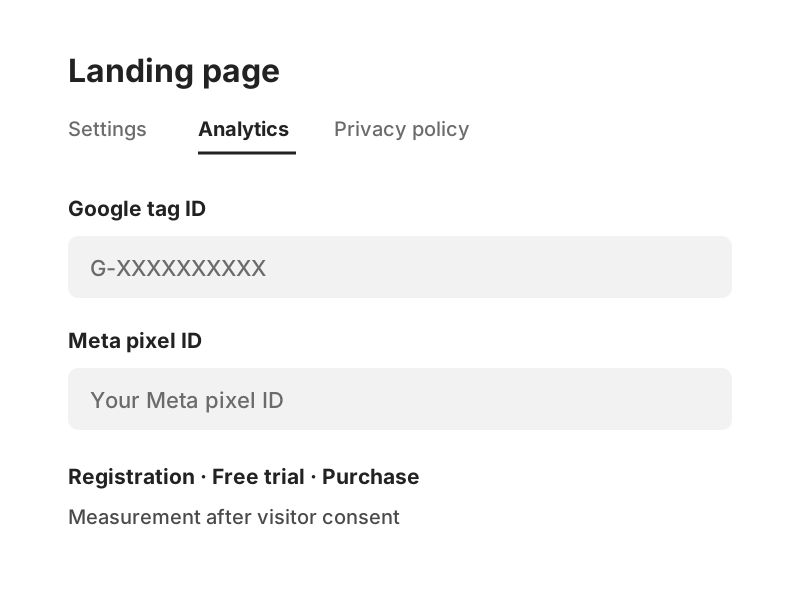
Start with the essentials, then add the information that makes your studio feel like you.
Your Clovo landing page can stand on its own as a home for your timetable, offers and studio information. If you already have a website, link its booking button to Clovo or use your landing page in campaigns alongside it.
No. Visitors can browse your public pages in a browser, then create an account or sign in to book and make purchases. Their account and purchases stay connected across Clovo.
Yes. Choose an available .clovo.app subdomain and use your studio logo, colours and description. There’s no domain configuration or website coding needed to get started.
Yes. Create custom pages for your studio story, FAQs or first-visit information. Save drafts, publish when you’re ready and share a published page directly. Its title also appears in your landing page navigation.
Yes. Your public memberships, class packs and trials are available alongside your timetable. You can also sell eligible memberships and packs as gifts, and make your Member Shop products available for studio pickup.
Enabled public studio pages are prepared for search discovery. Clovo generates search and sharing information from your public content, but search engines decide what to index and where to rank it. Keep your studio, class and instructor information useful and up to date.
Room for your studio’s story
What should I bring? Where do I park? What will my first class feel like? Create your own pages with headings, lists, quotes and formatted text. Save a draft while you work, then publish it alongside your booking pages when it’s ready.
See how custom pages work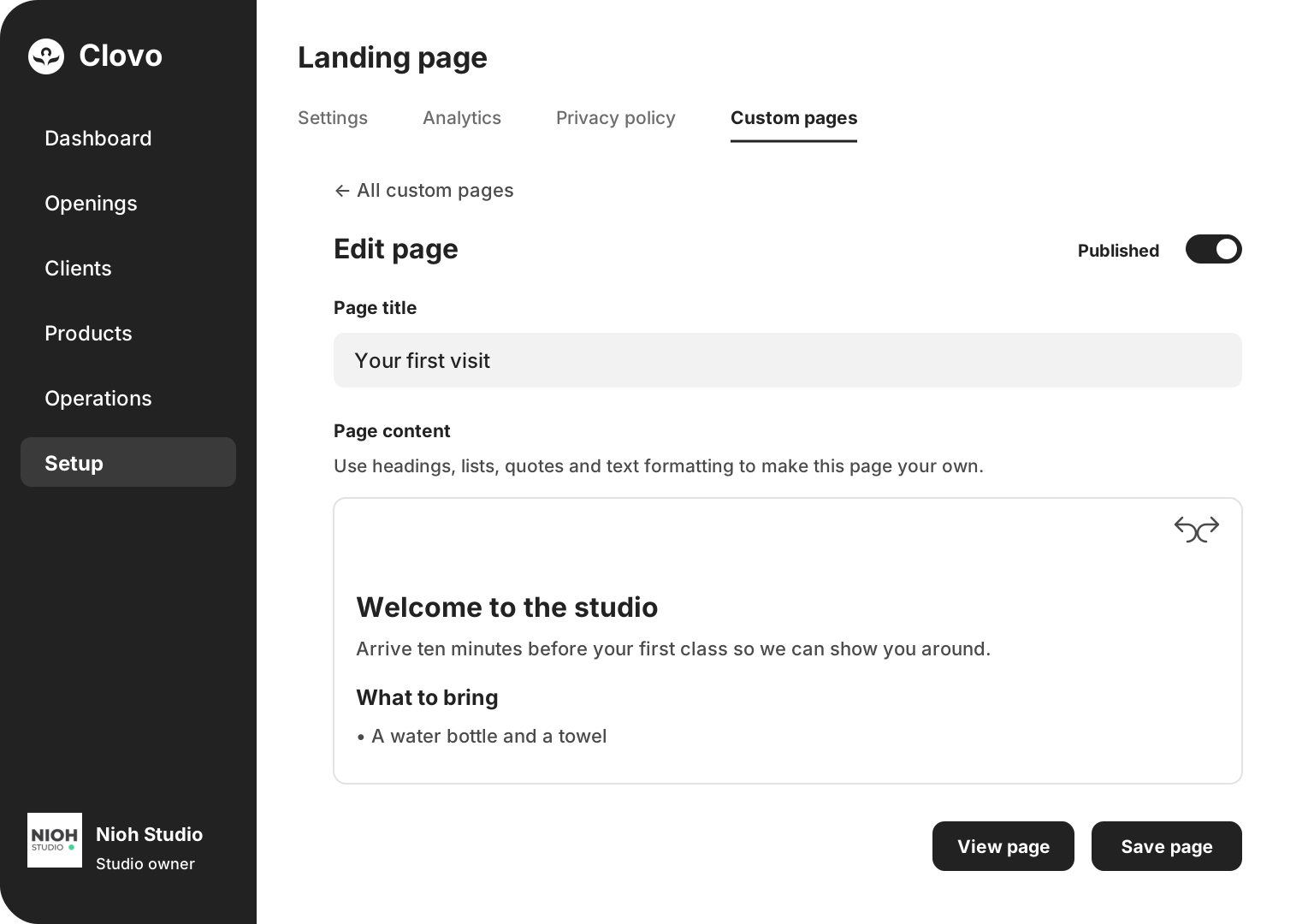
Your brand. Your live timetable. A direct path to booking.
Launch your studio today with no monthly fee — you only pay when your members pay you. Set up for free, with no card required.
Start free today