


Make room for more with Appointments
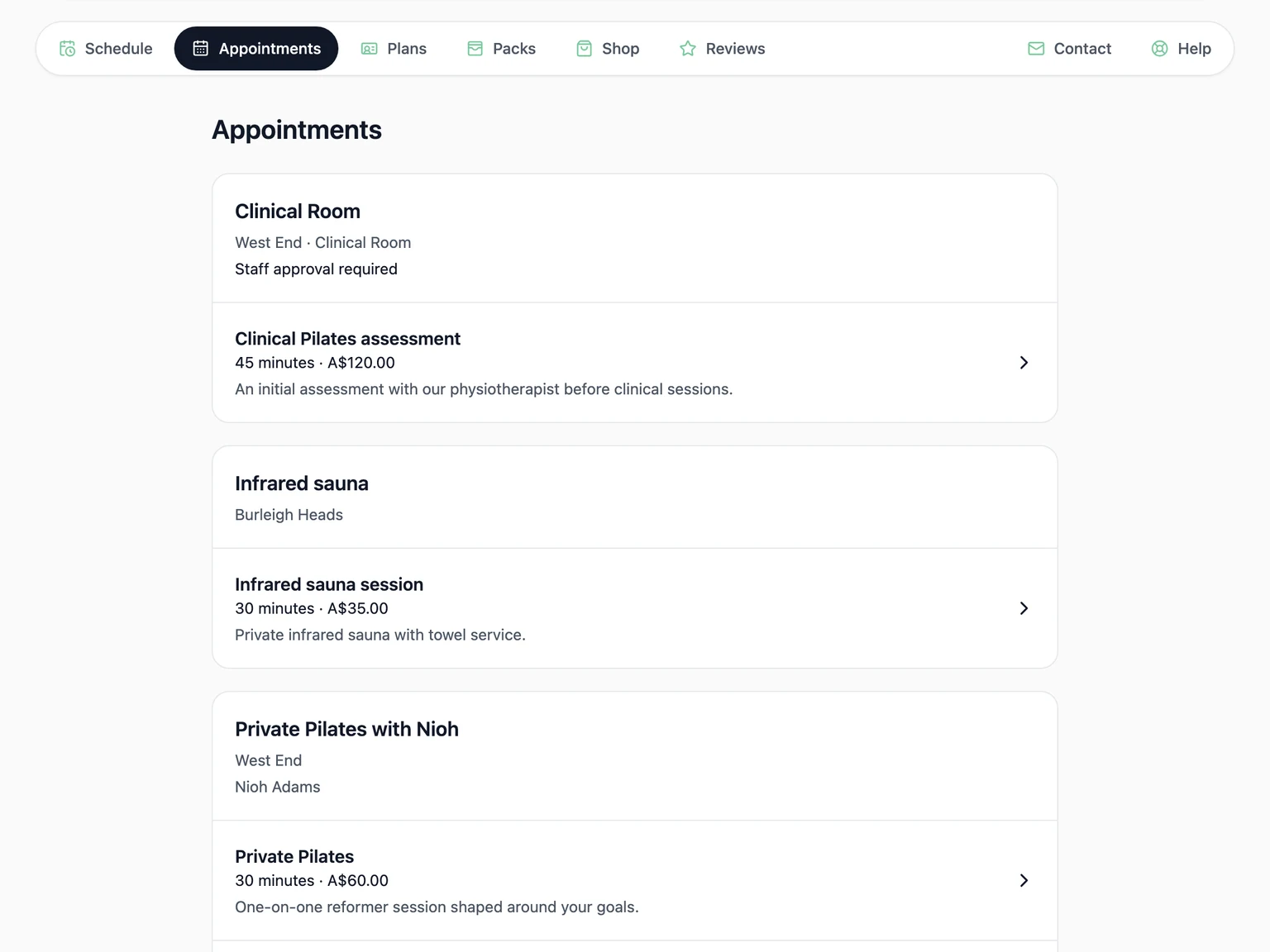
Some of your most valuable work happens outside the group timetable. A first consultation. A private session that helps a client move forward. Time in a recovery space after a busy week.
Appointments brings those services into Clovo alongside your classes, giving clients a clear way to book and your team one place to manage the visit. It opens up more ways to use your expertise, your space and the relationships you already have.
Offer more of what makes your studio yours
Give clients time with a particular instructor for private Pilates, personal training or a consultation. Make a treatment room, a whole location or a facility such as an infrared sauna available to book in its own right.
You choose the services, lengths and prices, so a short introductory consultation can sit alongside a longer private session. Clients can see what is available and what it costs before they book. Your studio has room to grow beyond a single kind of visit.
Make your availability work for you
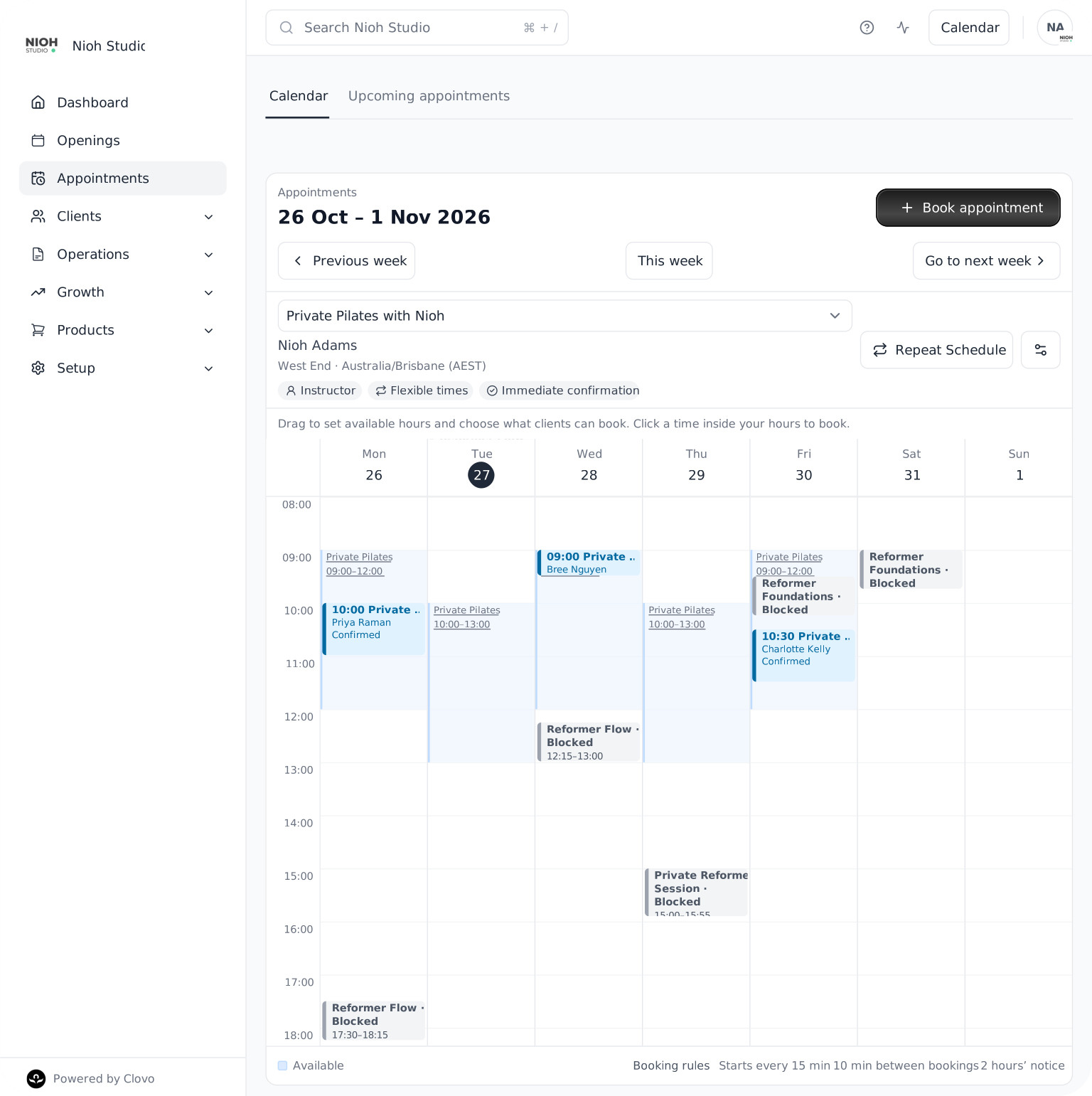
Open up a morning and let clients choose a time and length that fit, or offer a set of specific appointment times. Fixed and flexible calendars let you shape bookings around how you actually work, with preparation time and advance notice where you need them.
Once you have a week that works, repeat the schedule into future weeks. Clients have time to plan ahead, and your team can spend less time rebuilding the same availability.
Give clients a clear path to booking
Clients can choose an appointment and book a time through your studio website or across Clovo. Your team can also book on a client’s behalf when the next visit comes up in conversation.
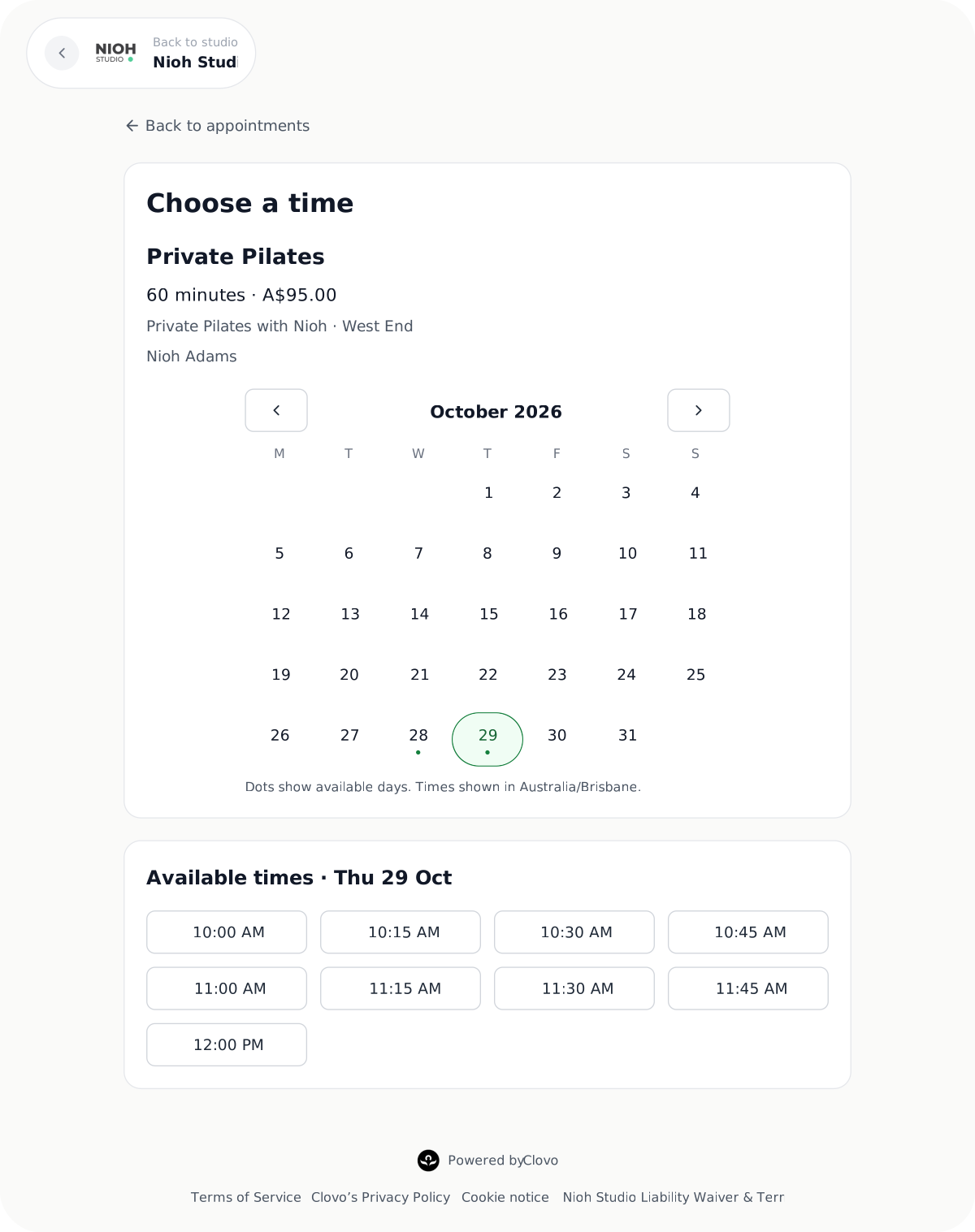
Choose immediate confirmation when clients can book straight in, or staff approval before card payment when your team needs to review the request. Clients can pay by card or use an eligible pack or plan that includes the appointment. You can also bring classes and appointments together in a membership, giving clients a reason to make both part of their routine.
Care for the visit, and the next one
A good appointment experience starts before the client arrives. Send preparation instructions and a form after confirmation, then add an appointment reminder to help them arrive ready.
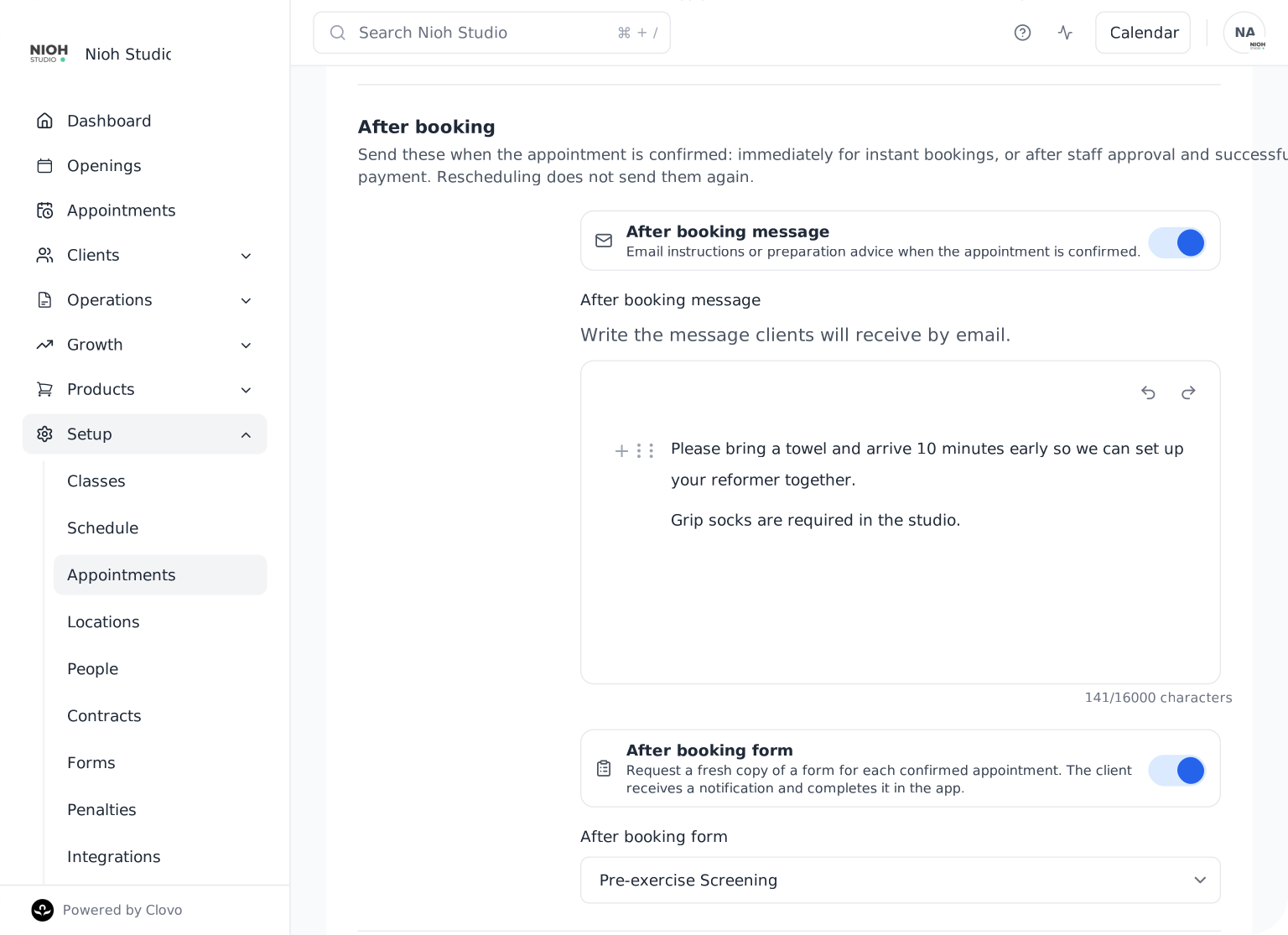
After the visit, follow-up forms and rebooking reminders help the conversation continue. Ask for fresh feedback or suggest when it is time to return, so the next step does not depend on someone remembering to send a message.
Share calendar management with the right people on your team, with booking updates keeping them informed. From the first request to the next visit, Appointments gives your studio a more connected way to offer individual attention.
Ready to make more of your studio’s time? Explore the guides below, or start setting up your studio with Clovo.
Explore the Appointments guides
From your first calendar to ongoing client care, our help centre walks through each part of Appointments. Find the guide that matches what you want to offer.
Plan your appointment offering
- Appointments in Clovo
- Create appointment types, lengths and prices
- Fixed or flexible appointment calendars: which should you use?
- Create an appointment calendar for an instructor
- Create an appointment calendar for a room or location
- Create an appointment calendar for a facility
- Repeat your appointment schedule into future weeks
Bookings, payments and your team
- How clients book appointments
- Book an appointment on behalf of a client
- Take appointment payment after staff approval
- Let multiple staff manage an appointment calendar
- Reschedule or cancel an appointment
Preparation and ongoing care
- What appointment notifications are sent?
- Set up appointment reminders for clients
- Send appointment forms and rebooking reminders
Want to include private sessions in a plan? See how to include classes and appointments in a membership.