Insight
Reporting
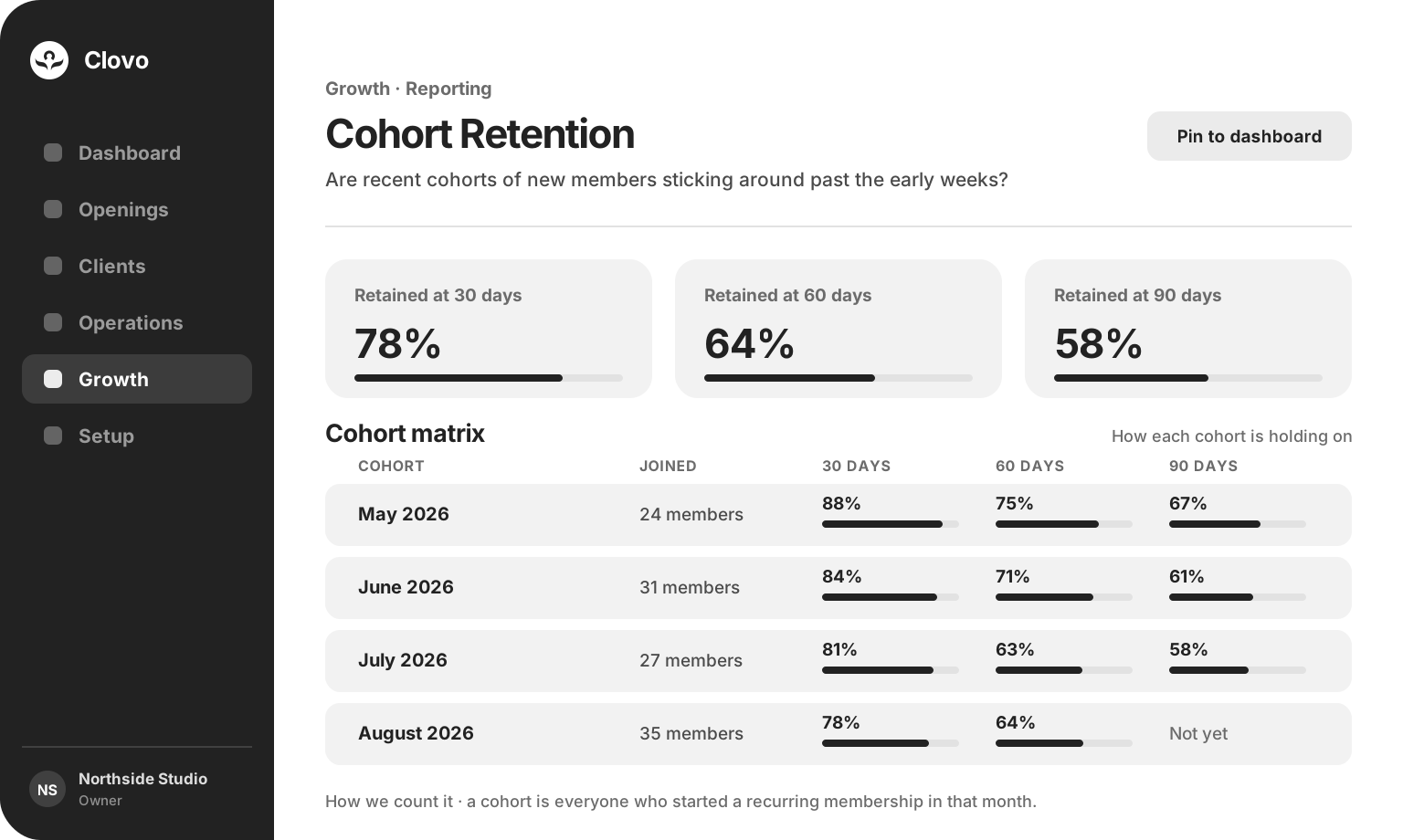
Eleven reports covering revenue, retention, attendance and instructors, each written as a question you already ask.

 Branded Booking Apps
Let clients book, pay and join waitlists in your branded app.
Branded Booking Apps
Let clients book, pay and join waitlists in your branded app.
 Studio Management Dashboard
Manage schedules, clients, payments and more in one place.
Studio Management Dashboard
Manage schedules, clients, payments and more in one place.
 Landing Pages
Showcase classes and pricing on your own .clovo.app page.
Landing Pages
Showcase classes and pricing on your own .clovo.app page.
 Member Shop
Sell studio merchandise through the app your members use.
Member Shop
Sell studio merchandise through the app your members use.
 Client Records
Keep progress notes, forms and agreements securely together.
Client Records
Keep progress notes, forms and agreements securely together.
 Integrated Admin App
Manage your studio from the Clovo app, wherever you are.
Integrated Admin App
Manage your studio from the Clovo app, wherever you are.
 Website Add-ons
Add live schedules and ways to buy to your existing website.
Website Add-ons
Add live schedules and ways to buy to your existing website.
 Retention
Spot clients drifting away and reconnect before they leave.
Retention
Spot clients drifting away and reconnect before they leave.
 Clovo Kiosk
Turn a spare iPad into self check-in and a studio showcase.
Clovo Kiosk
Turn a spare iPad into self check-in and a studio showcase.
 Growth
Grow your studio with reporting, offers, reviews and referrals.
Growth
Grow your studio with reporting, offers, reviews and referrals.
One platform, so the reading and the response live in the same place.
Growth tools built into your booking platform beat anything bolted on beside it.
Insight
Eleven reports covering revenue, retention, attendance and instructors, each written as a question you already ask.
Reach
Share one short code through a flyer, a partner or a conversation, and let each client unlock a secret deal for themselves.
Reputation
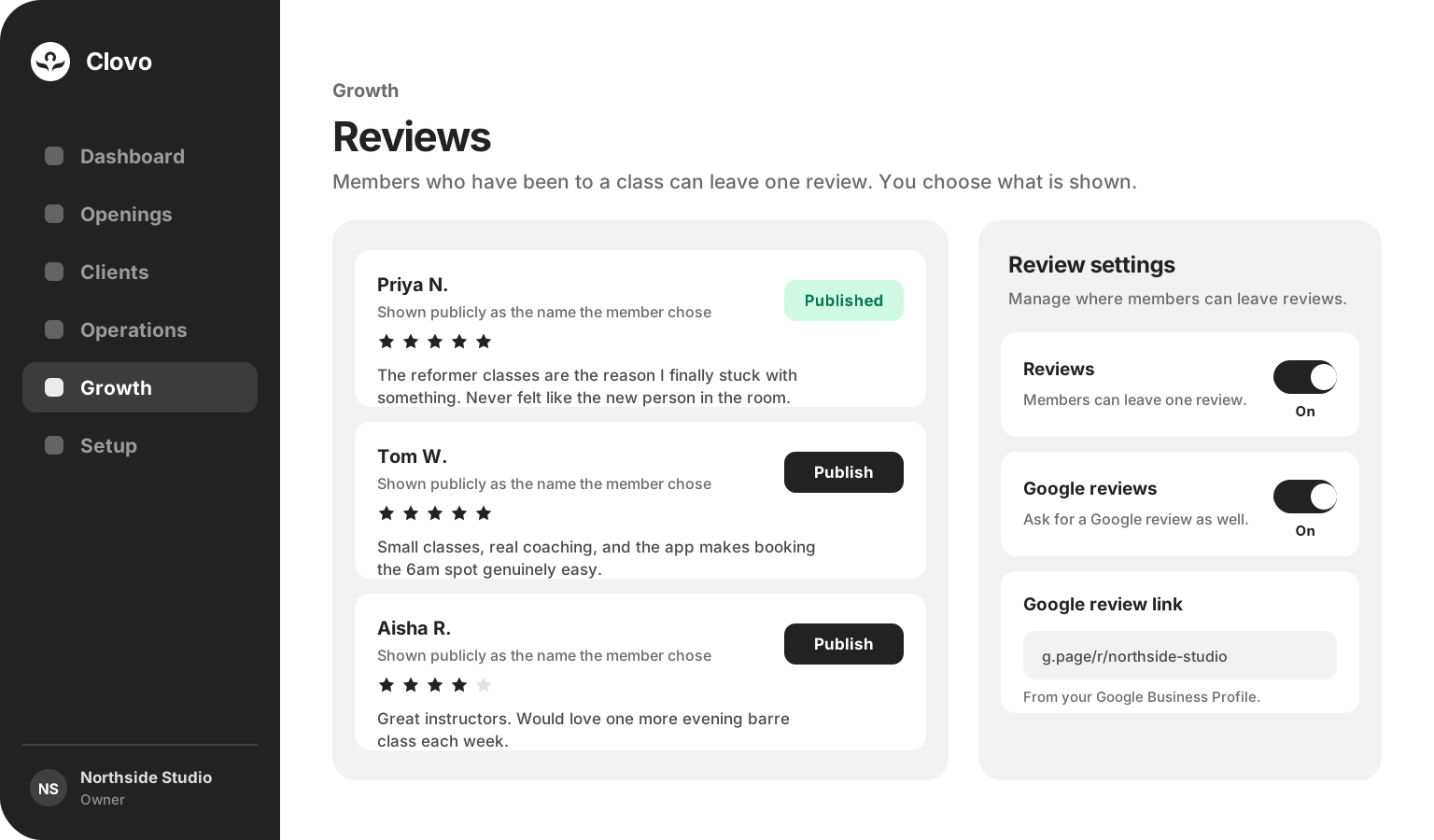
Members who have attended enough classes can review your studio in their own words, and you choose what is published.
Word of mouth
Set the reward once and let your members bring people in, with the benefit granted automatically when the rule is met.
First impression
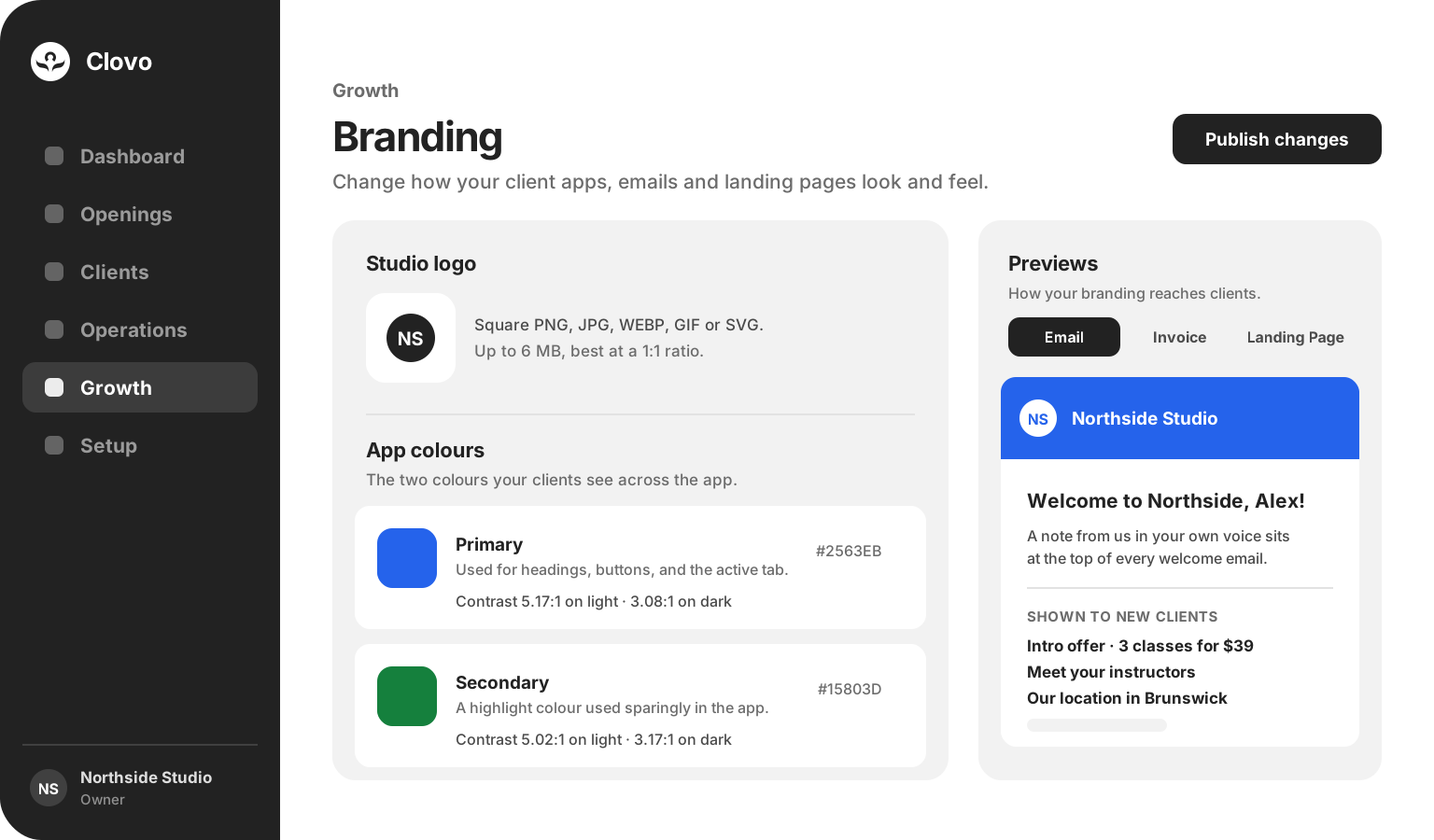
Choose the offers, instructors and locations a new client meets first, and add a note in your own voice.
Identity
Set your logo and two studio colours once and they carry across your apps, emails, invoices and landing page.
Reporting
Monthly Recurring Revenue, Churn Rate, Cohort Retention, Customer Lifetime Value, Average Spend and Visits per Customer, Average Fill Rate per Class, New Customer Acquisition, Cancellations and No-Shows, Member/Casual Ratio and Popular Instructors. Each one opens with the question it answers, and any report can be pinned to your dashboard so it is waiting the next time you sign in.
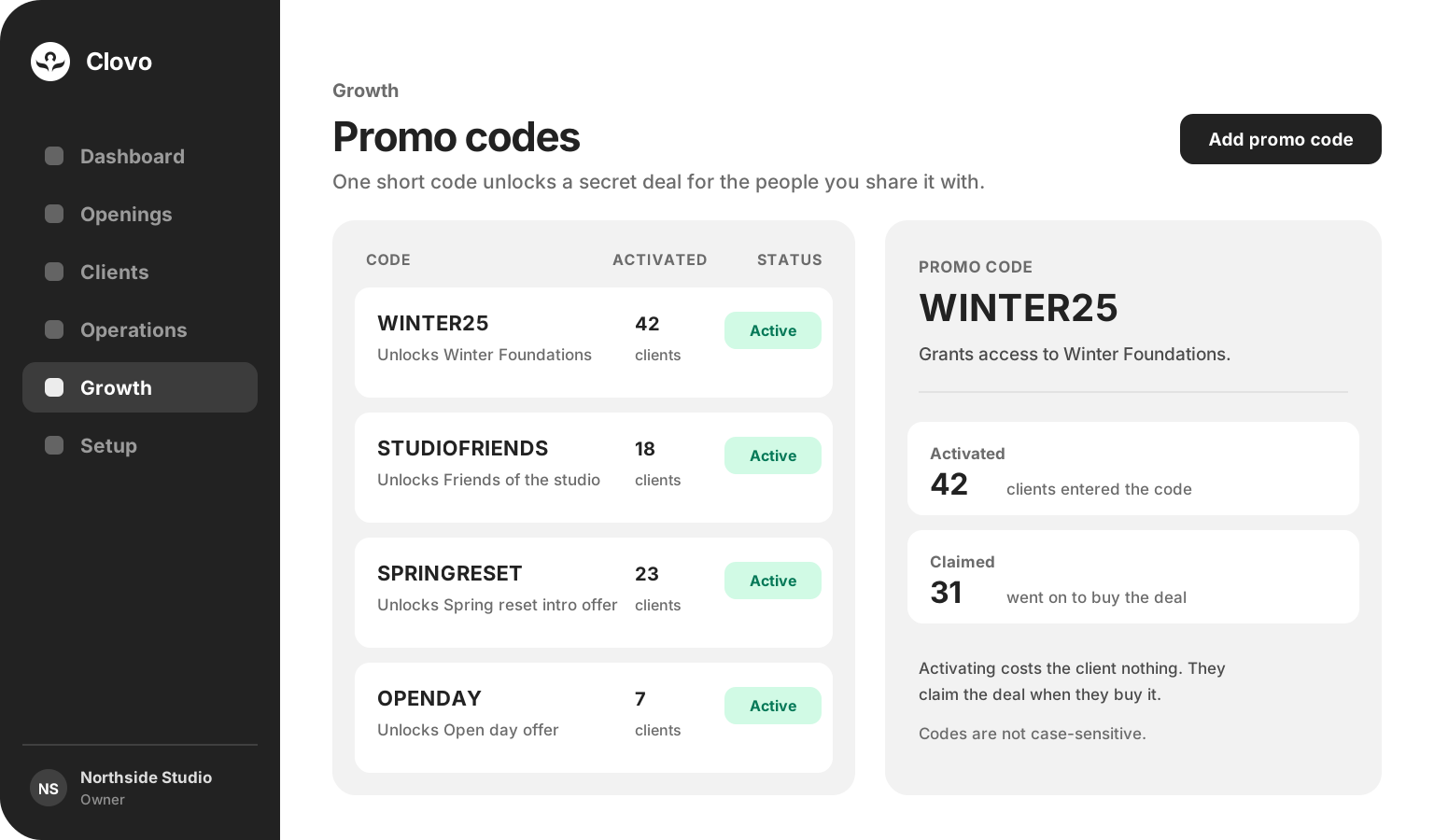
Promo codes
Secret deals are useful when they stay private, and far more useful when they can travel. A promo code lets a studio share one short code and have each client unlock the deal for themselves. Activating costs the client nothing, they claim it when they buy, and Clovo keeps count of both so you can see whether a campaign worked.

Growth that still feels like your studio
A report can show you that August signed up more people than July, or that a cohort thinned out after week six. What to do about it is still a judgement your studio makes, with everything you know about the room and the people in it.
Reviews
Members can share feedback about your studio inside Clovo once they have attended enough classes. They choose the rating, write the experience in their own words and decide which public name to use. Your team reads the response and chooses what to publish, and studios that have added their Google Business Profile can invite a Google review as well.
Branding and the welcome email
Your logo and two studio colours carry across your client apps, emails, invoices and landing page, and Clovo shows the measured contrast of each colour as you choose it so your studio stays readable. The welcome email is yours to shape as well: add a note in your own voice, then choose which offers, instructors and locations a new client meets first.
Either way, growth stops being a separate job on a separate day.
Common questions
No. Reporting reads the bookings, memberships and payments already running through Clovo, so the numbers are there as soon as your studio is. Any report can be pinned to your dashboard so it is the first thing you see.
Reviews, referrals, promo codes and reporting sit under Growth for your team. Branding and the welcome email are limited to studio owners and staff with setup access.
Yes. Nothing appears on your landing page or in the apps until you publish it, and a published review can be unpublished again. Switching reviews off keeps the ones you already have, ready to reappear if you turn them back on.
Access to a secret deal you have already set up. Entering the code activates it at no cost to the client, and they claim it when they buy. Codes are short and are not case-sensitive, so they work on a flyer or in conversation.
The friend receives their benefit as soon as they join. The referrer’s reward is held until that friend has spent the amount you set, then it is granted automatically. Leave the condition at zero to reward the referrer straight away.
Yours to tune
Reward the friend and the referrer with account credit, super credits or a membership plan, and set how much a new member needs to spend before that reward is released. Then leave it running.
Growth is available now

Bring reporting, offers, reviews and referrals together inside Clovo.
Launch your studio today with no monthly fee — you only pay when your members pay you. Set up for free, with no card required.
Start free today