Unused value
Credits nearing expiry
See unused pack value while there is still time to help a client book and get what they paid for.

 Branded Booking Apps
Let clients book, pay and join waitlists in your branded app.
Branded Booking Apps
Let clients book, pay and join waitlists in your branded app.
 Studio Management Dashboard
Manage schedules, clients, payments and more in one place.
Studio Management Dashboard
Manage schedules, clients, payments and more in one place.
 Landing Pages
Showcase classes and pricing on your own .clovo.app page.
Landing Pages
Showcase classes and pricing on your own .clovo.app page.
 Member Shop
Sell studio merchandise through the app your members use.
Member Shop
Sell studio merchandise through the app your members use.
 Client Records
Keep progress notes, forms and agreements securely together.
Client Records
Keep progress notes, forms and agreements securely together.
 Integrated Admin App
Manage your studio from the Clovo app, wherever you are.
Integrated Admin App
Manage your studio from the Clovo app, wherever you are.
 Website Add-ons
Add live schedules and ways to buy to your existing website.
Website Add-ons
Add live schedules and ways to buy to your existing website.
 Retention
Spot clients drifting away and reconnect before they leave.
Retention
Spot clients drifting away and reconnect before they leave.
 Clovo Kiosk
Turn a spare iPad into self check-in and a studio showcase.
Clovo Kiosk
Turn a spare iPad into self check-in and a studio showcase.
 Growth
Grow your studio with reporting, offers, reviews and referrals.
Growth
Grow your studio with reporting, offers, reviews and referrals.
One platform, a clearer signal. Getting ghosted is a thing of the past
Retention built into your booking platform beats anything bolted on beside it.
Unused value
See unused pack value while there is still time to help a client book and get what they paid for.
Routine has slipped
Spot active members whose diary has gone quiet before a slipped routine turns into a lost habit.
Pattern changing
Bring a developing attendance pattern into view so your team can understand what is getting in the way.
Engagement changing
Notice when ordinary schedule changes begin to look like a client who may need a little flexibility or help.
A quieter connection
Use a gentle engagement signal without exposing a client’s private in-app activity to studio staff.
Seen in context
Read app-side activity alongside booking history so a quiet week is understood in context, not on its own.
A clearer place to start
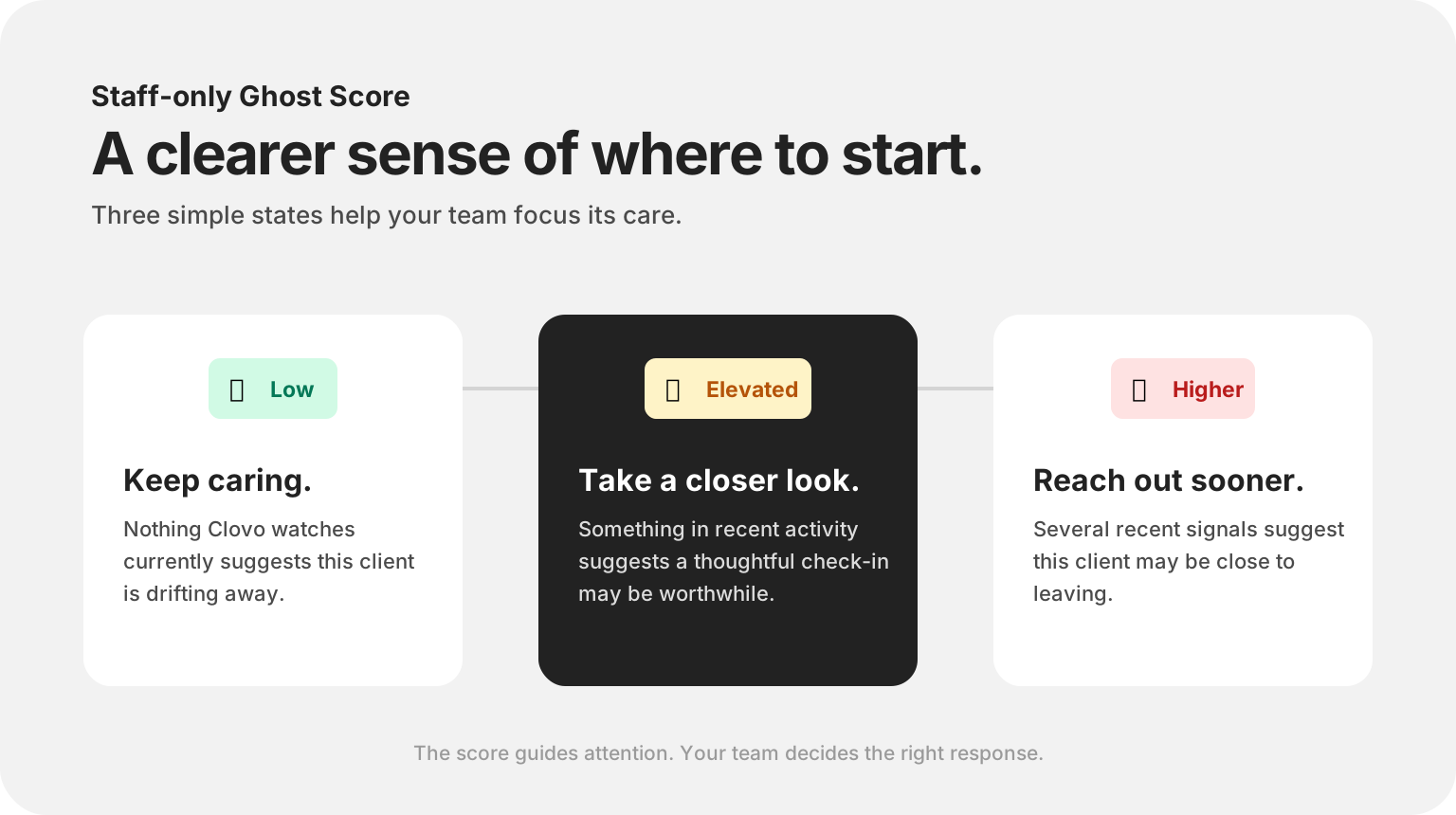
Each eligible client receives a staff-only Ghost Score based on the current mix of retention signals. Low, Elevated and Higher states help your team decide where a personal check-in may matter most.
From signal to working list
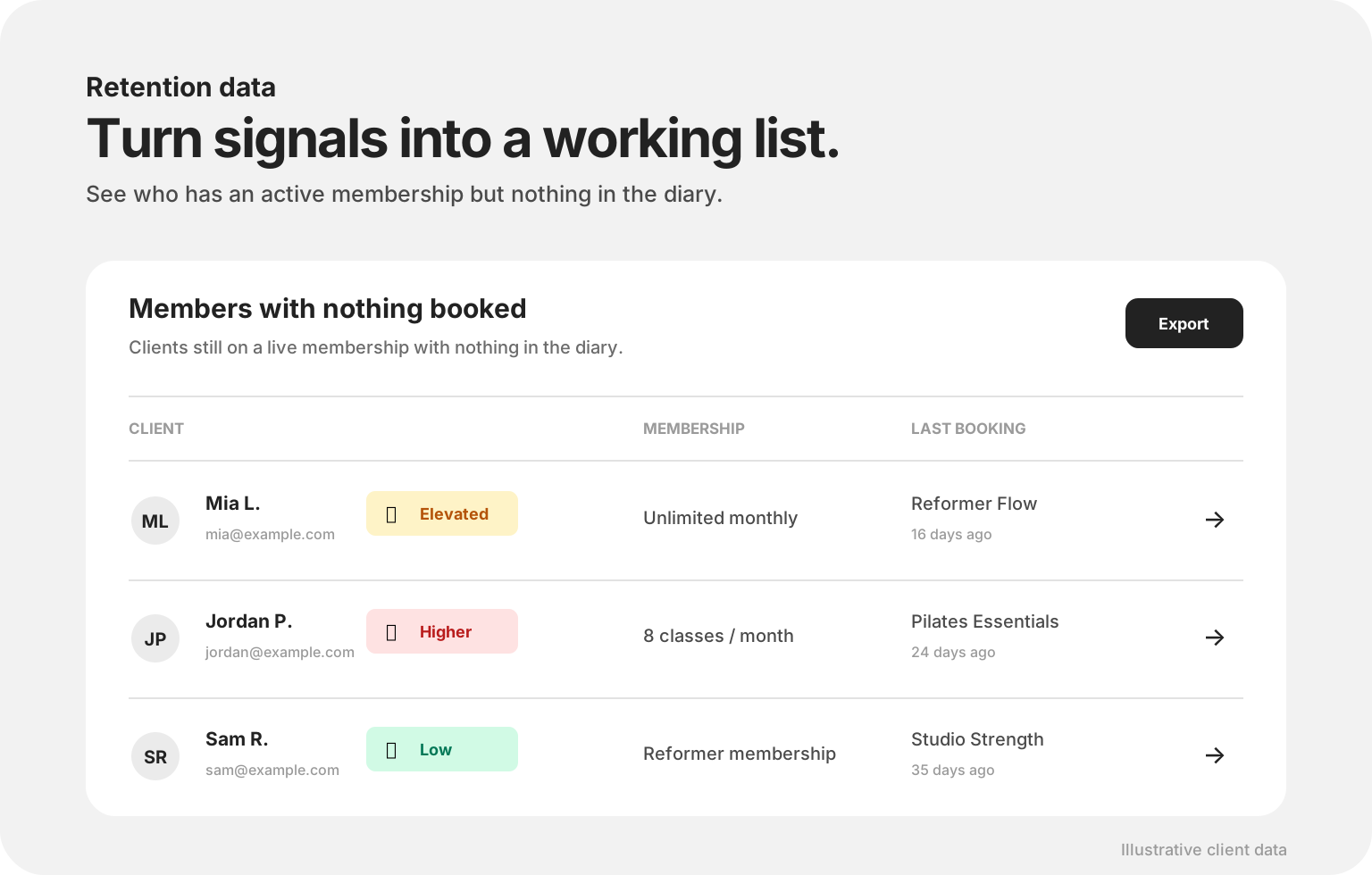
The Members with nothing booked report gathers active members with an empty diary alongside their membership, last booking and Ghost Score. Export the list when your team is ready for a focused follow-up session.
Technology notices. Your team cares.
The best retention message may be as simple as, “We haven’t seen you in a little while—how are you going?” Ghost Alert keeps the next step close without making the relationship feel automated.
A Ghost Alert appears
A client’s signals change and the alert lands on your dashboard.
Your team reads the context
Your team pairs the alert with their knowledge of the client
Then your team chooses the response that fits the person
Start with the client and the reason for checking in, then make the message sound like your studio.
Put the right staff member in charge and keep the personal context attached to the work.
Life changes. Close the prompt when your team knows the situation and a message would not help.
Either way, retention becomes part of studio life.
Common questions
No. The signals and Ghost Score are prompts for your team to look more closely. A quiet week may be ordinary, and the studio’s knowledge of the client should always guide the response.
The five most recent unactioned alerts appear on the main dashboard. The full Ghost Alerts area keeps the wider list organised, and optional daily email and push digests can keep open alerts visible.
Studio owners and staff with setup access can enable Ghost Alert from Settings, then find alerts under Operations > Ghost Alerts.
No. Clovo can surface an inactivity signal without exposing private client activity. Staff see the retention context they need for a considerate follow-up.
Yours to tune
Retention tools usually decide for you. Ghost Alert hands the settings over: switch each signal on or off, and set the numbers that reflect how your studio really runs.
Ghost Alert is available now

Bring early signals, client context and team follow-up together inside Clovo Studio.
Launch your studio today with no monthly fee — you only pay when your members pay you. Set up for free, with no card required.
Start free today