


A welcoming start with introductory pricing

Introductory pricing gives new members a lower starting price before continuing at your regular rate. Clovo changes the price automatically, with the same classes included throughout.

Set up your offer
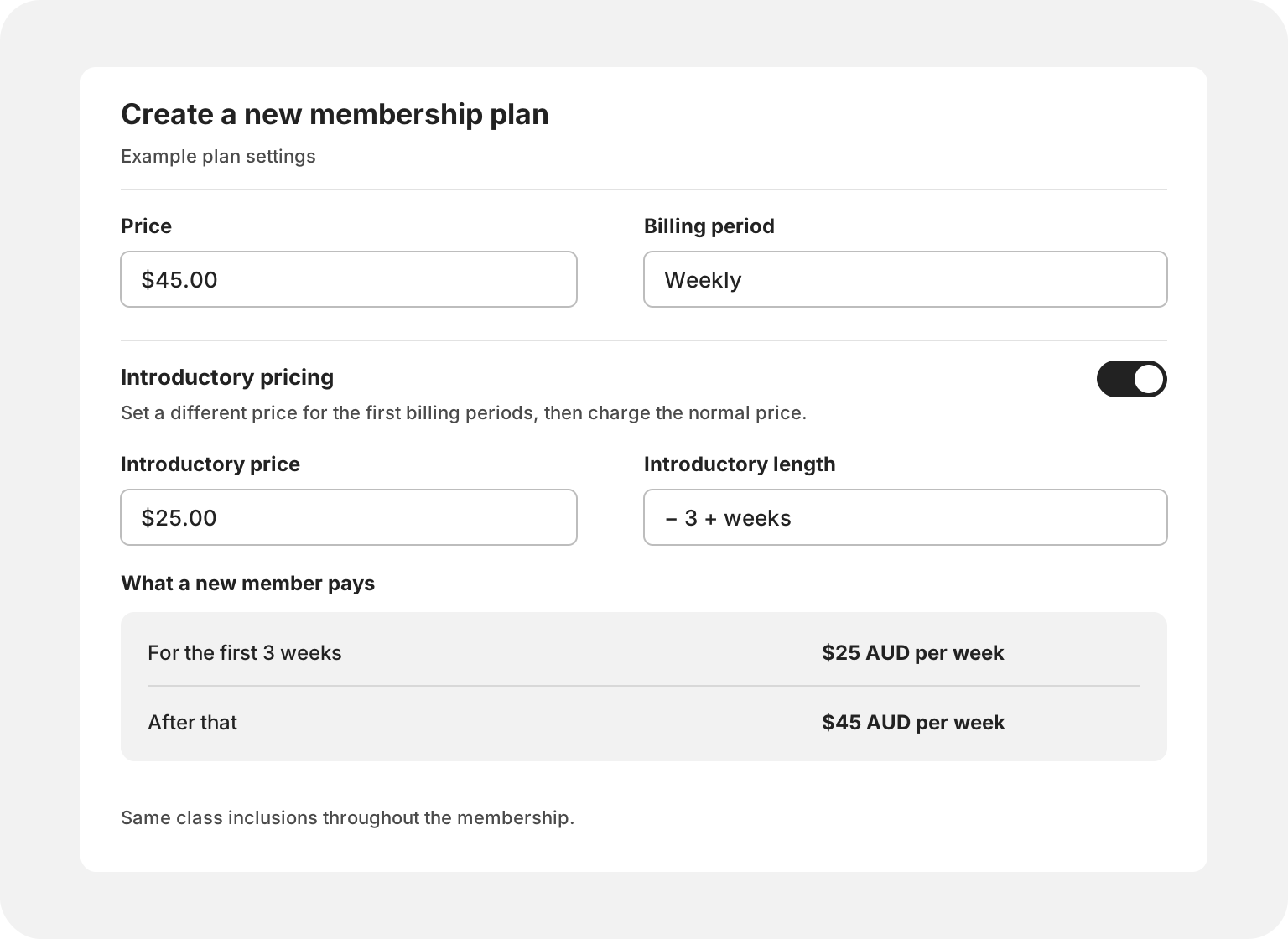
Let’s create a membership that starts at $25 a week for three weeks, then continues at $45 a week.
- Create your membership. Go to Products → Plans and choose Add Plan. Give it a name, such as Weekly Pilates, and choose the classes and number of visits it includes.
- Set the regular price. Enter $45 in Price and choose Weekly as the Billing period. This is what members will pay once the introduction ends.
- Add the introduction. Switch on Introductory pricing, enter $25 as the Introductory price and set Introductory length to 3. With weekly billing, that gives each new member three weeks at $25 a week.
- Check the offer. What a new member pays shows the starting price and what comes next. It should read $25 a week for the first three weeks, then $45 a week. Turn on Special offer if you want to highlight the plan to clients.
- Make it ready to buy. Put the same pricing in your plan description so clients know what to expect, then select Create. Clovo handles the change to $45 automatically.
See the introductory pricing guide for the full walkthrough.
Offers you could create
A three-week welcome
$25 a week for three weeks, then $45 a week. A lower starting price while clients find their routine.
A first-month introduction
$99 for the first month, then $149 a month. Time to explore your timetable before the regular price begins.
A fortnightly start
$60 a fortnight for two fortnights, then $90 a fortnight. Four weeks at the introductory rate.
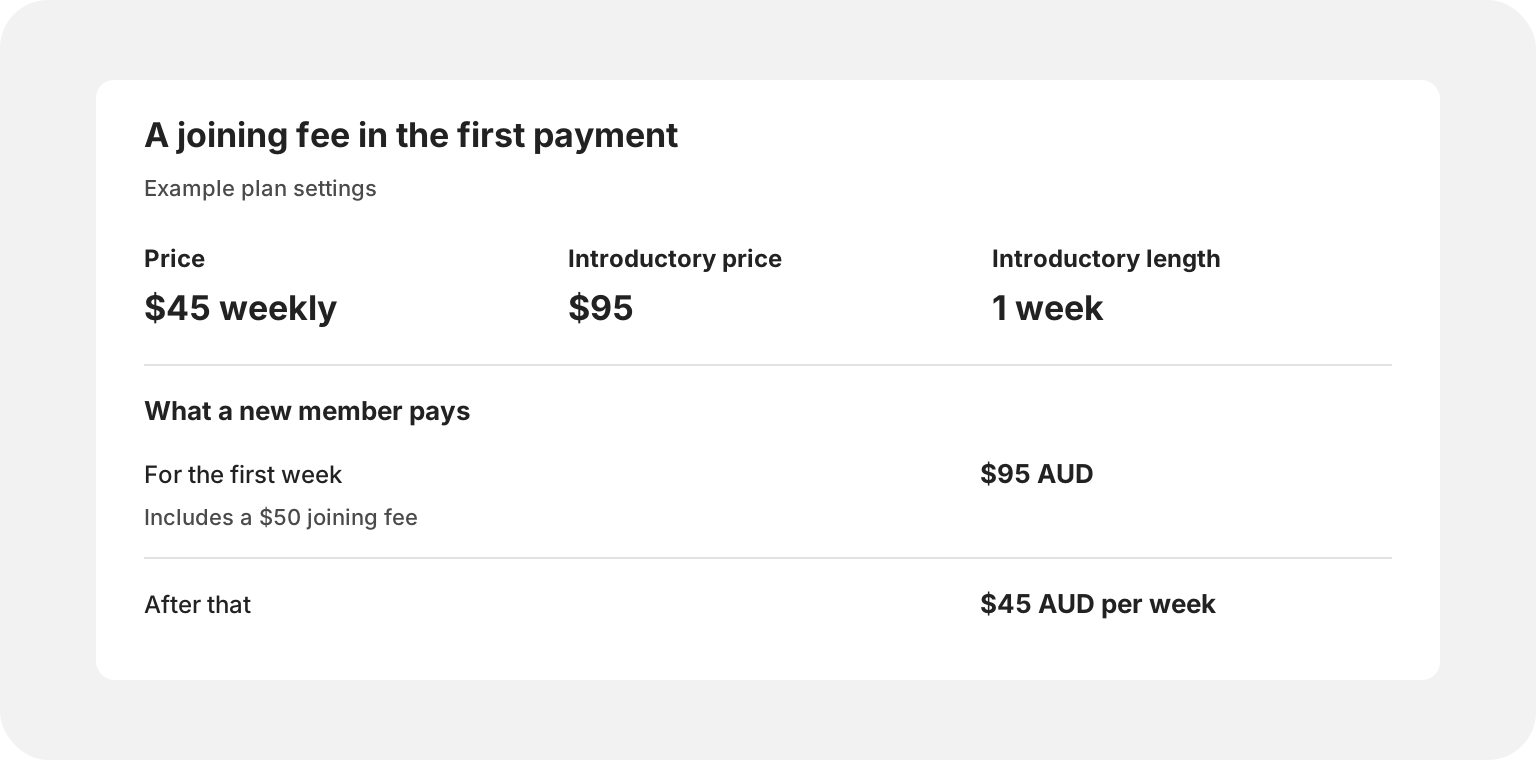
A joining fee in the first payment
$95 for the first week, then $45 a week. Introductory pricing can also include a joining fee: a $50 fee plus the first $45 weekly payment.
Prefer a fixed number of classes without an ongoing membership? Create a paid introductory pack.