


Collect additional information with Forms

Good client care starts with asking the right questions at the right time. Forms helps your studio collect useful context before a first visit, alongside an ongoing program or whenever something changes.
Create a reusable form once, let clients complete it or work through it together, and keep every answer with their client record. Self-service forms can be sent manually or automatically to clients, while one or more forms can also be made a condition of booking selected classes, so your team has the information it needs before the session begins.
Design your form in Form Builder
Create forms for initial consultations, readiness checks, consent, feedback or any conversation your team repeats. Combine written answers, dates, choices, ratings, yes or no questions and signatures, then make the important questions required. A form can be available to clients or kept for staff to complete, depending on the information you need to collect.
See how to build a form with the Form Builder.
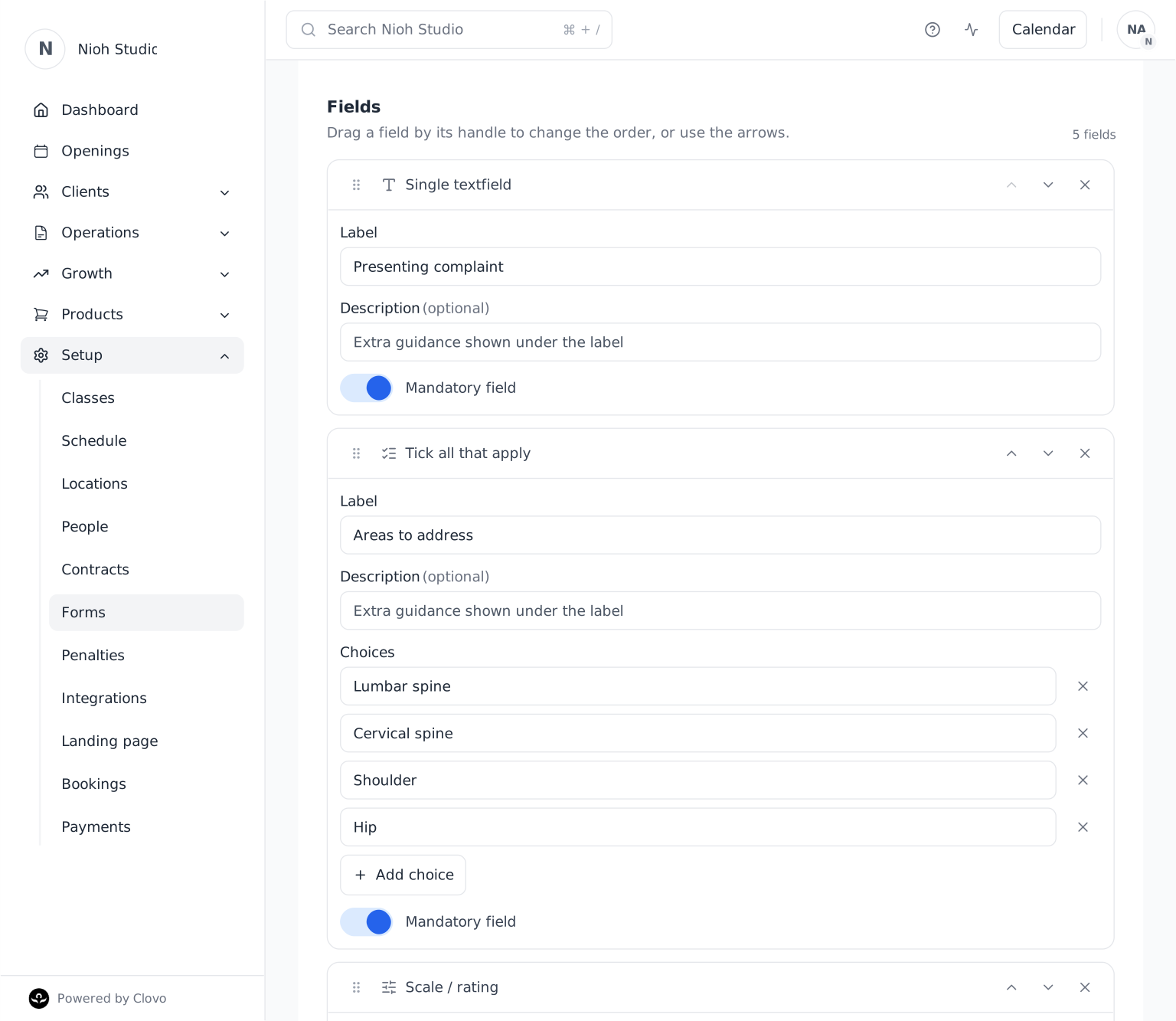
Make preparation part of booking
For classes where certain information must be in place, require one or more forms before a client books. Clovo checks each client’s record and guides anyone with an outstanding form to complete it before continuing.
Each required form only needs to be completed once, and staff can still add a client when an exception is appropriate. This gives the studio a consistent starting point without adding administration to every booking.
Set up a form requirement for a class.
Send forms automatically or when it matters
Send a self-service form automatically to a client, or request one yourself when a team member is guiding the conversation. Clients complete forms on their own device, while the outstanding request remains visible to your team until it is complete.
This works across Clovo, giving clients a familiar experience and your studio a clear view of what is still needed. For the manual request flow, see how to send a form to a client.
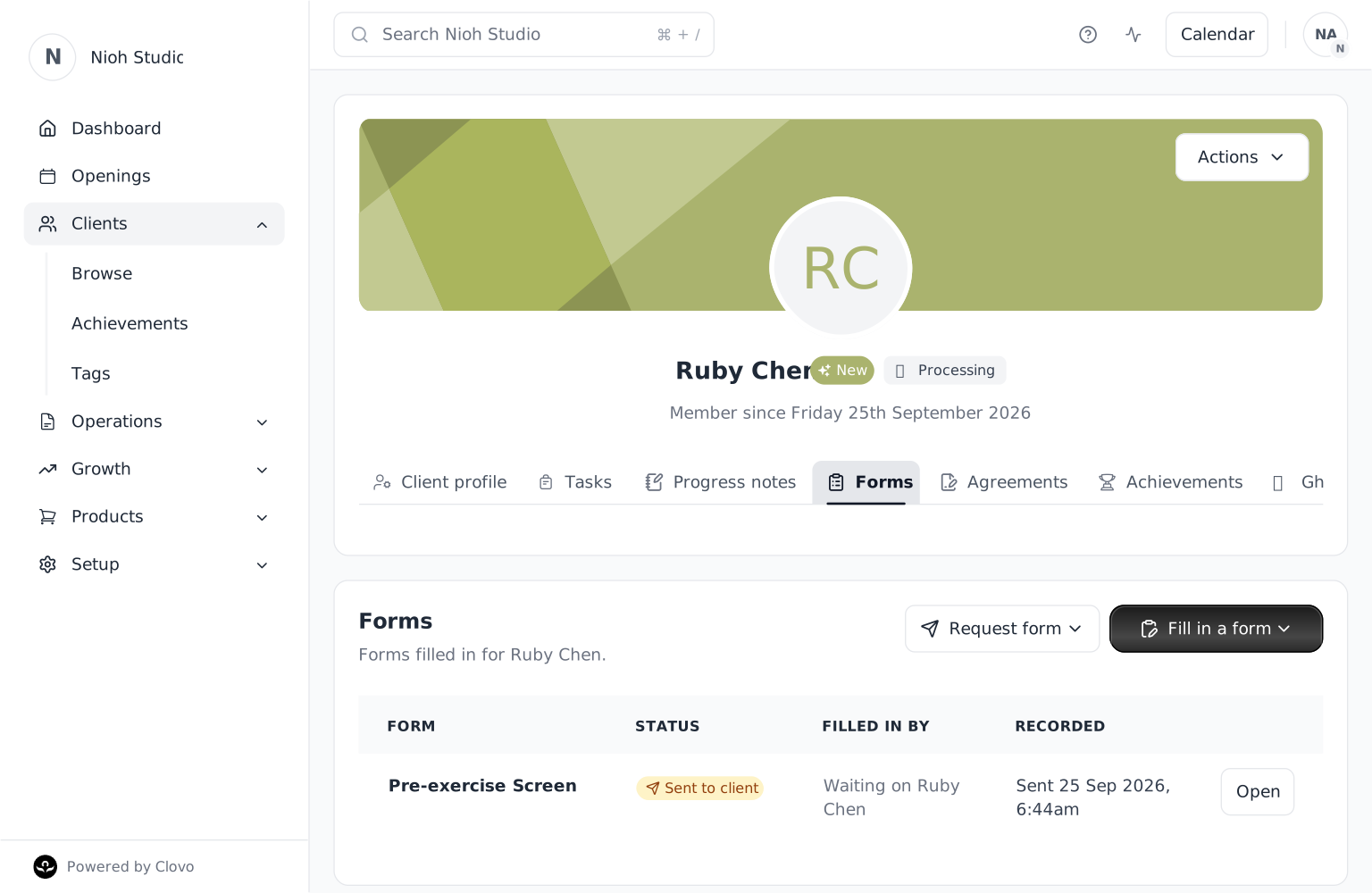
Keep the answers with the client
Completed answers stay with the client record, giving your team useful context for the next conversation without another document to chase. Staff can review or correct a response and export it as a PDF when a copy is needed. Answers are encrypted at rest and only shown in authorised views.
The result is better preparation for the client, a more consistent process for the studio and the right information ready when your team needs it.
Forms is available now across Clovo. Start setting up your studio and give every client conversation a stronger place to begin.