


The class performance report every Pilates studio should check each week

If you run a Pilates studio, you already know how easy it is to trust your gut about which classes are working. You can feel when the 6:00 am reformer class is strong, or when the Sunday afternoon session is a bit too quiet. The problem is that instincts are not a plan.
A class performance report gives you the numbers behind the feeling. It shows which classes are filling, which ones are under pressure, and where the timetable is doing the heavy lifting for your studio. That matters because even a small scheduling change can make a real difference to revenue, member satisfaction and instructor load.
For a boutique studio, the goal is not to look busy on paper. The goal is to run the right classes at the right times for the people who actually want them. That is where reporting becomes useful. It turns vague pressure into something you can work with.
What the report should tell you
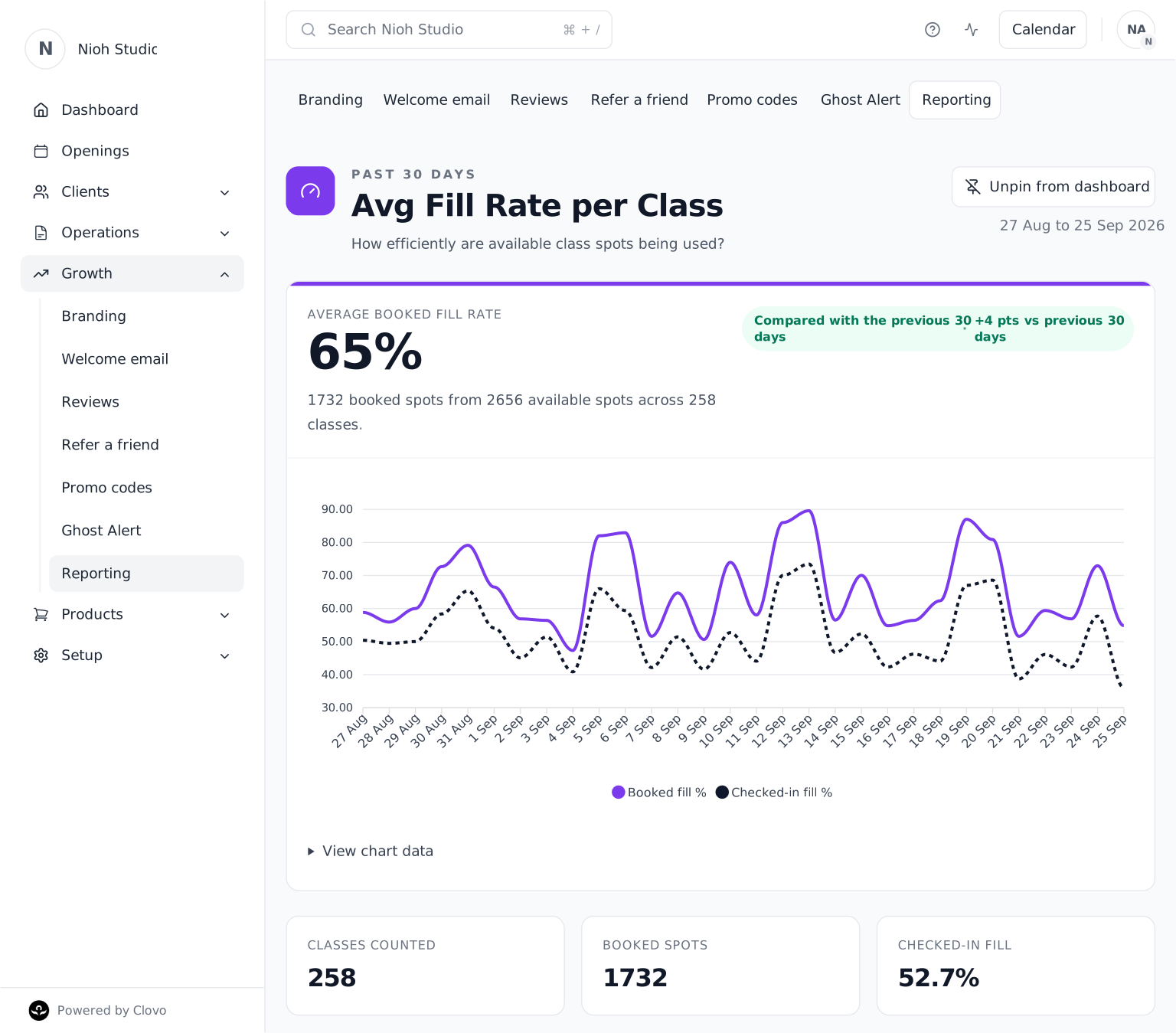
The best place to start is with the basics: demand, arrivals and consistency. You want to know how much of your available capacity was booked, how many of those spots became actual check-ins, and which class types are using their room best.
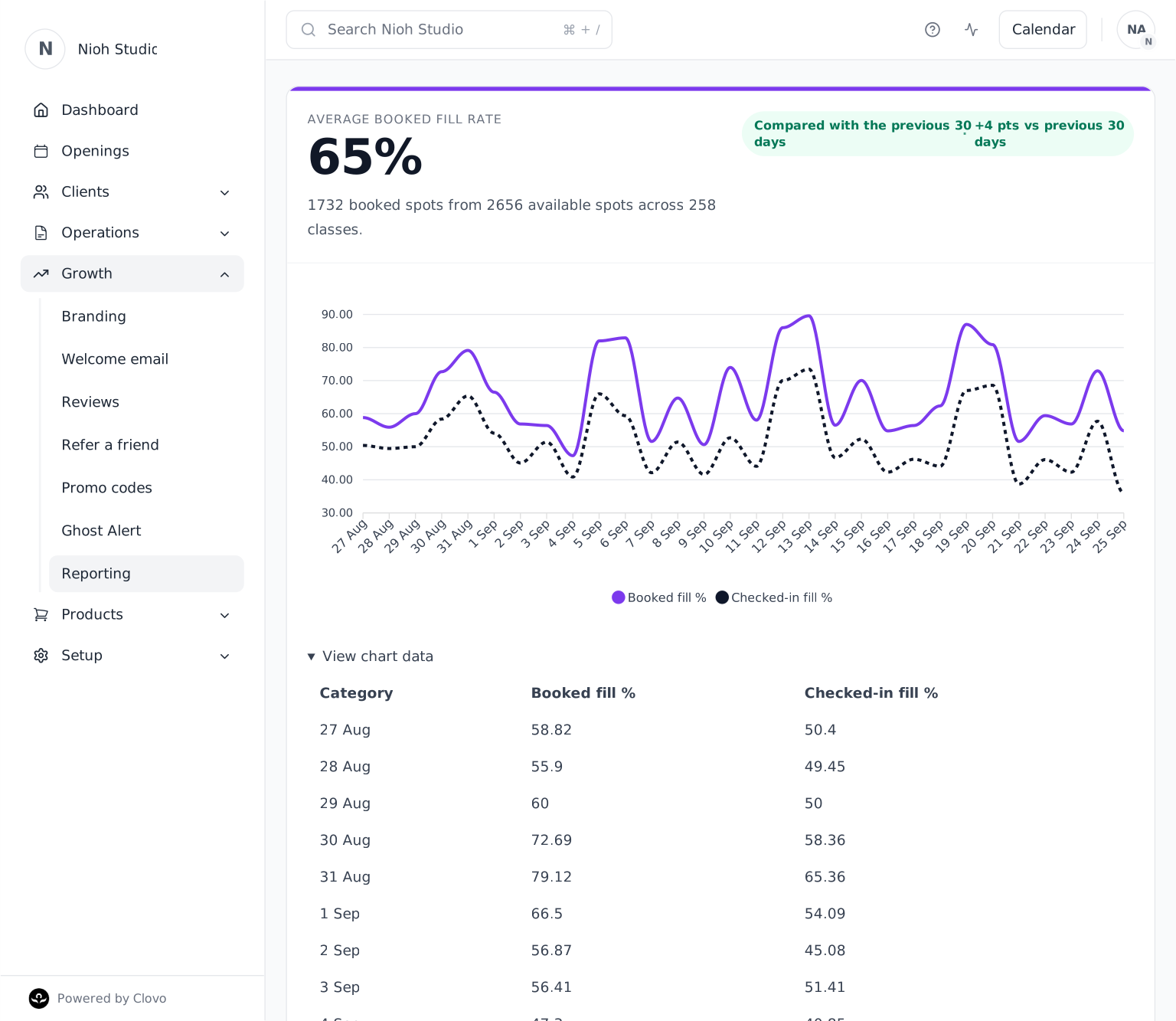
- Average booked fill rate: see how efficiently your available class spots are being used.
- Checked-in fill: separate the bookings made from the clients who actually arrived.
- Classes and booked spots counted: keep the headline percentage grounded in the size of the reporting window.
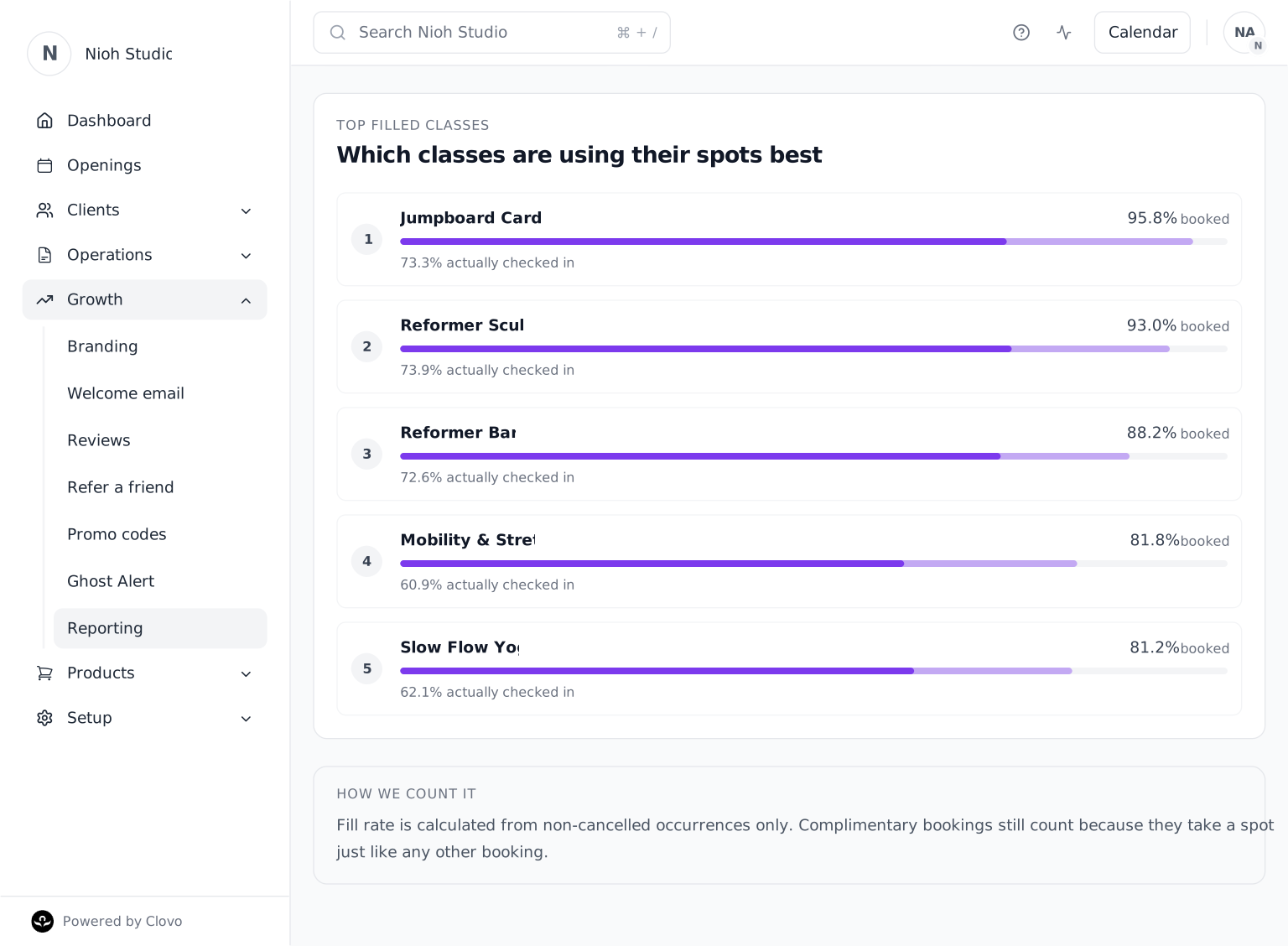
- Top filled classes: see which class types are making the strongest use of their capacity.
Once you have those numbers in front of you, the picture becomes clearer very quickly. Sometimes the issue is not demand at all. It is simply that the class is sitting in the wrong slot. Other times, the class is popular enough that it deserves another session.
How to read the numbers without overthinking it
Studios can get trapped in analysis mode and still not make a decision. Keep the review simple. If a class is full every week, decide whether the room can take more bodies or whether the answer is to add another session. If a class is consistently weak, decide whether to move it, change the instructor or remove it entirely.
That is the real value of a class performance report. It gives you a shortlist of actions instead of another pile of opinions. A good report does not just tell you what happened. It makes the next decision obvious.
For many Pilates studios, that decision might be surprisingly small: shifting a class by 30 minutes, adding an extra morning session, or moving a weaker class away from a time when your members are usually at work. You do not need a full timetable rebuild to see a better result.
The other thing to watch is repeatability. If a class performs well one week and badly the next, do not rush to rework the schedule. Look for patterns across several weeks so you are changing the timetable for a real trend rather than a single noisy result.
What to do after you have checked it
Once the report has done its job, use it to make a few specific changes.
- Keep the classes that are carrying the studio and protect their times.
- Test a better time slot for classes that are nearly working but not quite.
- Trim the sessions that are repeatedly underperforming with no clear upside.
- Use the report alongside intro-offer and attendance data so you are not looking at classes in isolation.
That last point matters. A class may look light on raw attendance but still be valuable if it converts first-time visitors into long-term members. Another may look busy and still be worth questioning if the room is full of casual drop-ins with no repeat behaviour. Reporting only helps when it is tied to action.
Where to find it in Clovo
If you want to check this in Clovo, open your Clovo Dashboard, head to Reports, and choose Avg Fill Rate per Class. The report brings together your average booked fill, checked-in fill, classes counted, booked spots and top filled classes for the current 30-day window, with a comparison to the previous 30 days.
It is a good weekly habit for studio owners and an even better monthly habit for planning next term's timetable. Check the report, make one or two changes, and then give the numbers time to tell you whether the move worked.
Frequently asked questions
What is a class performance report?
It is a report that shows how individual class types are using their available spots over time, including booked fill, checked-in fill and the strongest-performing classes.
How often should I review it?
Weekly is usually enough. That gives you a steady view of the timetable without reacting to a single odd class or one holiday week.
What should I look at first?
Start with average booked fill, compare it with checked-in fill, and review the top filled classes. Together, those numbers show both demand and how many bookings became actual arrivals.
What date range does Clovo show?
The report shows the current 30-day window and compares it with the previous 30 days, making it easier to see whether class fill is strengthening, softening or holding steady.