


Clovo Platform Update, August 2026

Since our last platform update on 28 May, Clovo has kept moving across the Clovo Dashboard, Clovo iOS and Clovo Android. This batch has a common thread: less context-switching for studio teams, more useful context at the point of action, and better ways to keep the member experience personal.
There are four big releases in the mix — in-app admin, Regulars, Ghost Alert, and safer schedule and membership changes — alongside a quieter but important set of improvements to payments, announcements and the everyday details that make a studio run well.
Major releases
Admin tools have moved into the apps
Studio owners and staff can now do much more from the Clovo client apps on iPhone and Android. The new in-app admin experience brings an Upcoming view, class booking counts and a set of actions that used to mean reaching for the dashboard: add or book a client, check people in, move or cancel a class, and create a one-off class when the timetable needs a quick change.
The useful part is the context around those actions. Staff can see blocked spaces and reservations, manage substitutes and work with the same locations and class details already in the studio’s timetable. The screens also refresh after changes, so an instructor working from the floor is less likely to act on yesterday’s version of the class. It is a more practical way to run a busy session when the laptop is somewhere else.

Admin expansion is available across iOS and Android, with the two apps moving toward the same operating model. That means a studio can keep the front desk, instructor team and owner in the same live view of what is happening next.
Regulars makes a weekly habit easier to keep
Many studios have a class where the attendance list is almost predictable. Regulars lets a studio set those familiar faces against a recurring schedule, then automatically books them into new openings as they become available. The team can choose the client and the membership or credit pack that should be used, and Clovo keeps the reservation tied to that class rhythm.
Regulars is designed to reduce weekly rebooking without taking away control. It will not push a class past capacity, it removes archived clients from the flow, and the activity is recorded in the studio feed. Members get the consistency of a standing place; staff get fewer repetitive booking tasks and a clearer way to support the routines that keep people connected.
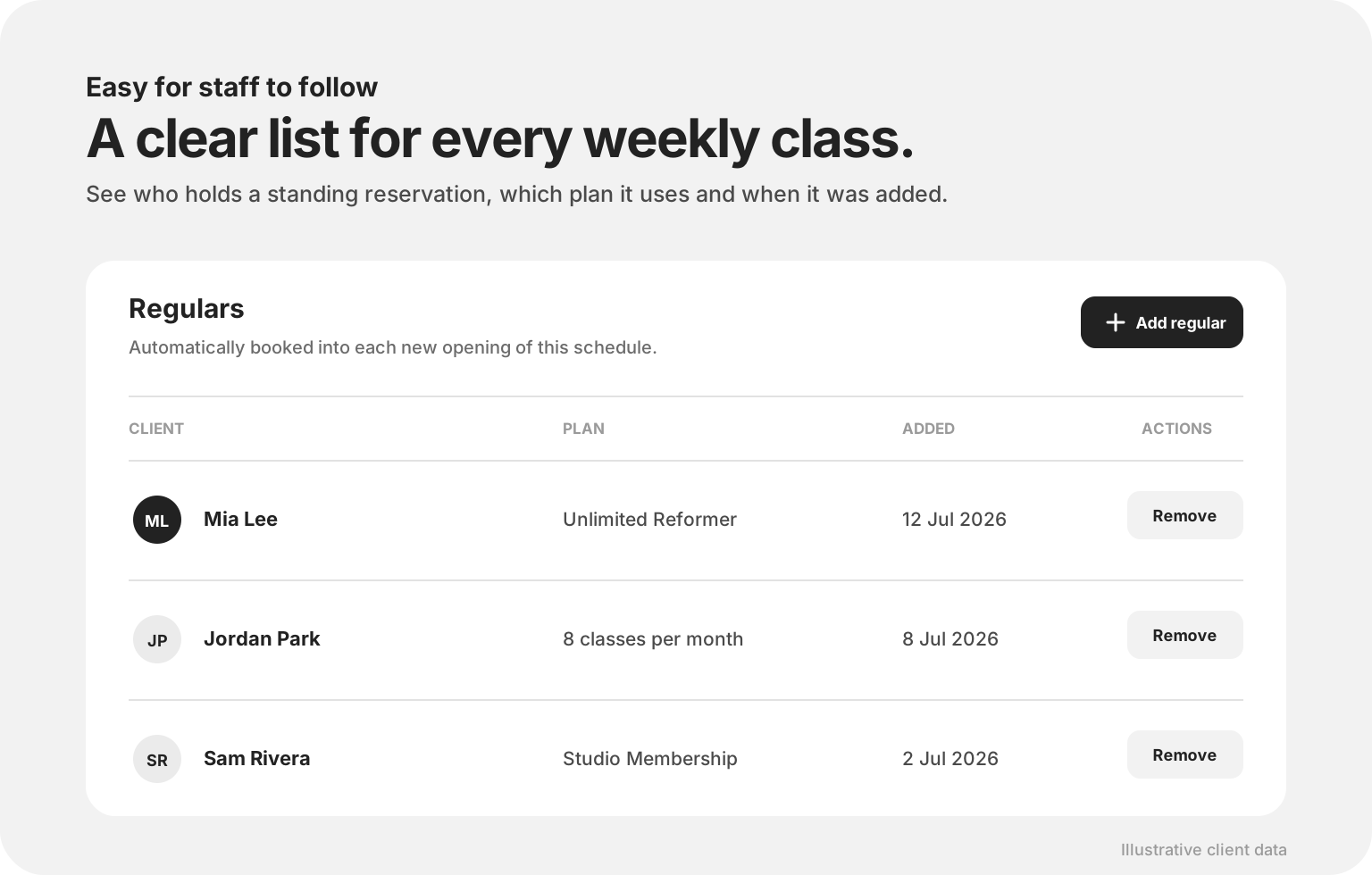
The result is deliberately simple: a studio can make regular attendance easier to maintain without building a spreadsheet, remembering who belongs in which class, or asking the same people to rebook every week.
Ghost Alert turns retention signals into a daily workflow
Ghost Alert is Clovo’s native retention tool. It looks for a small set of signals that can be easy to miss in a busy studio — unused credits nearing expiry, an active membership with nothing booked, repeated no-shows or cancellations, app inactivity and certain in-app retention signals — then brings the people behind those patterns into a staff-only workflow.
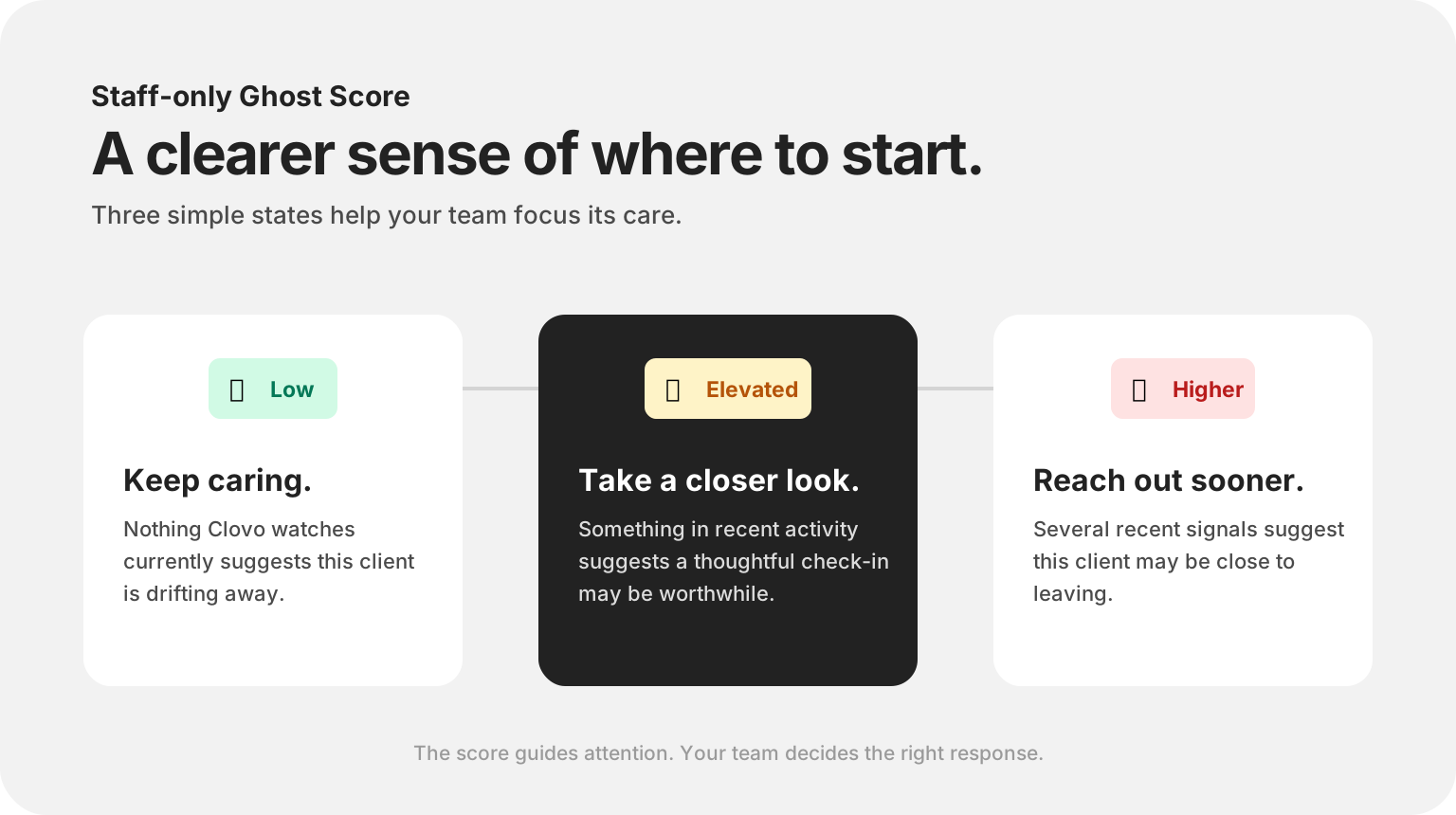
Each eligible client receives a Ghost Score based on the current mix of signals, while each alert keeps the evidence and the next action together. Staff can reach out with a prefilled email, create a follow-up task or mute an alert when no contact is needed. The main dashboard shows the latest unactioned alerts, and the wider Ghost Alerts area includes a Members with nothing booked view with export support.
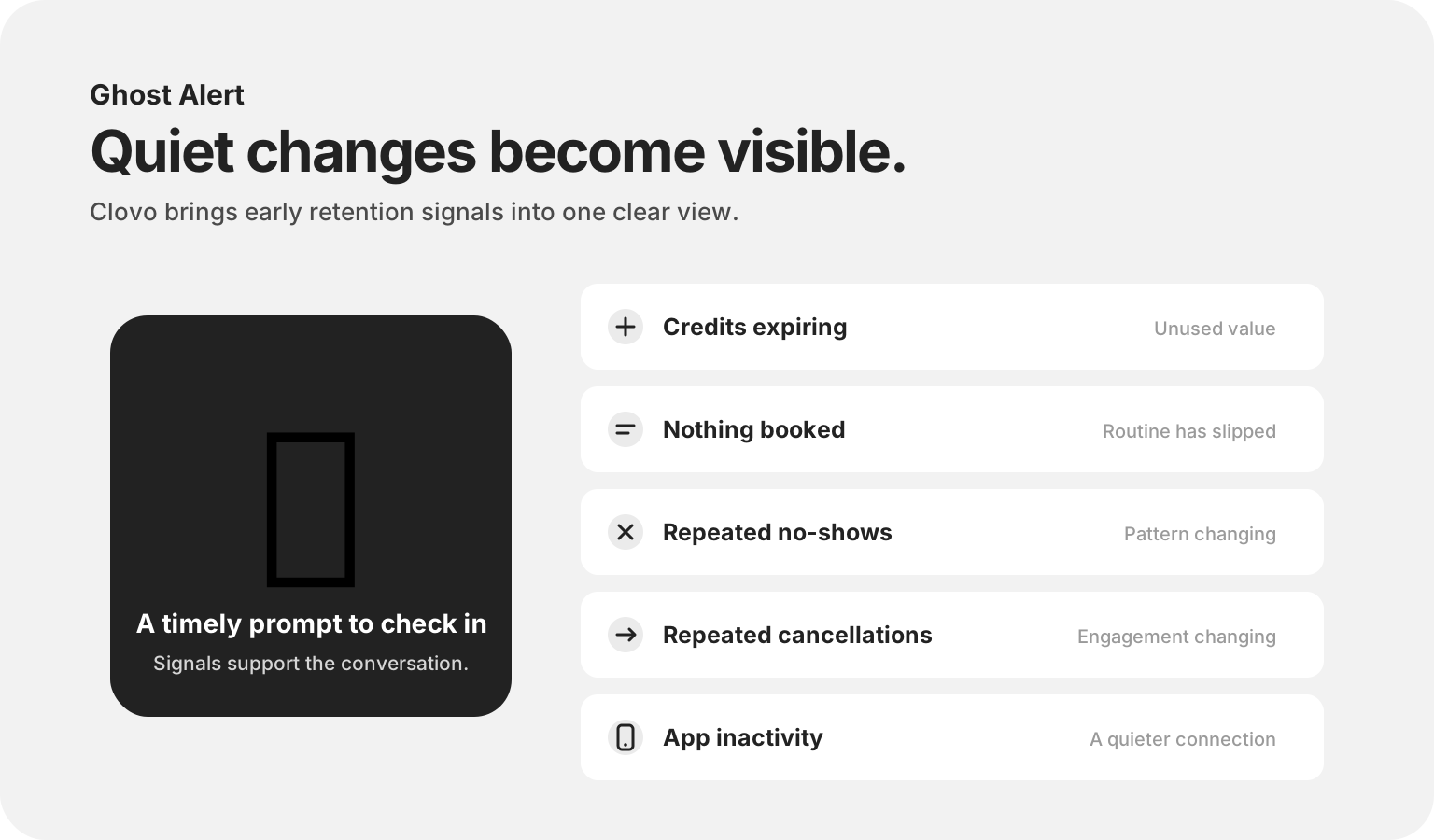
The important boundary is that the score is staff-facing guidance, not a verdict about a client. Ghost Alert gives a team a reason to start a human conversation while there is still time to help; it does not try to replace the studio’s knowledge of the person.
Schedules and memberships are safer to change
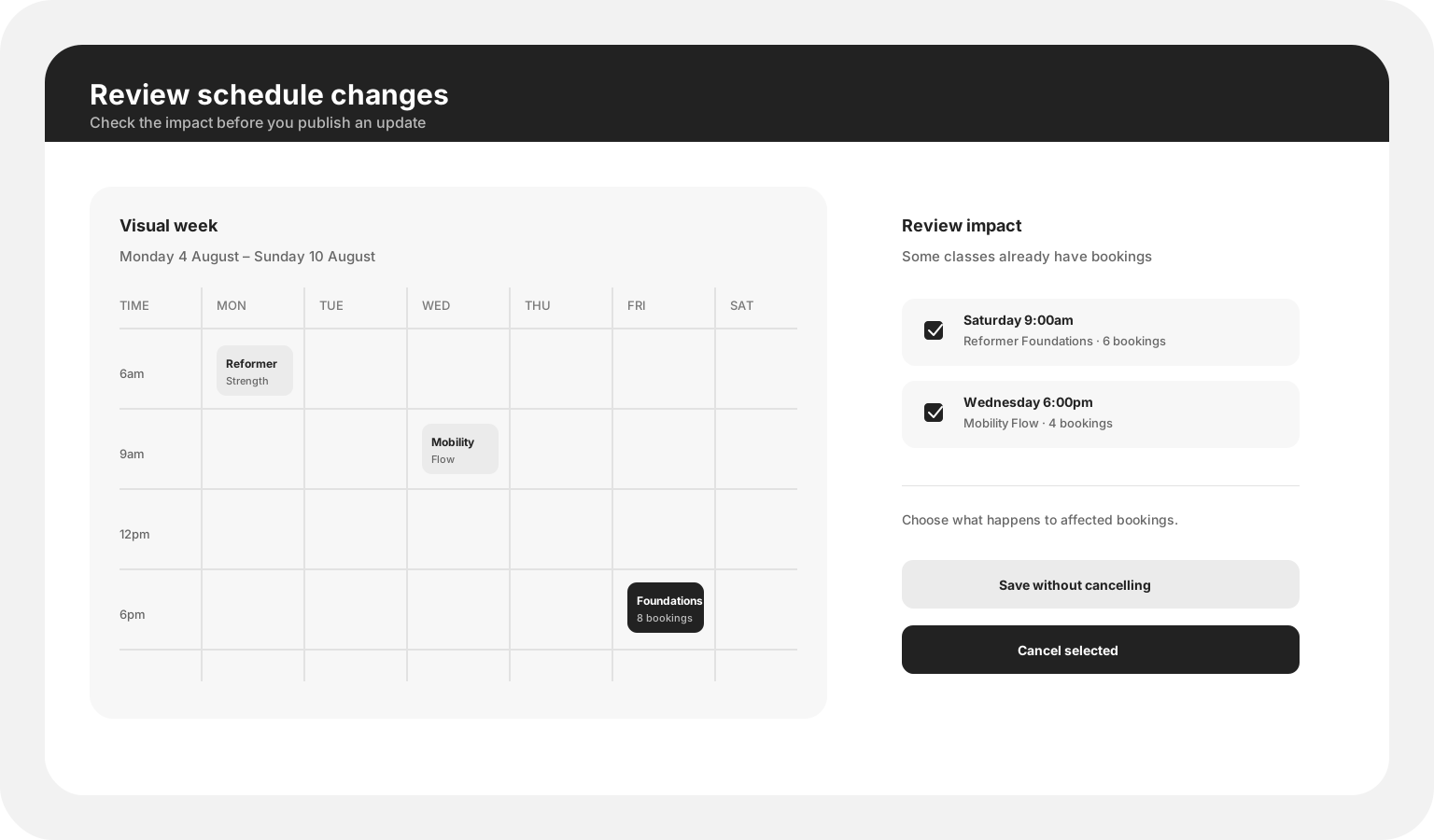
The Dashboard’s schedule work now gives studios a visual week view and a review step before a change is saved. If an update or deletion affects classes that already have bookings, the review screen shows the impact and lets staff choose whether to save without cancelling or cancel selected classes. Schedule changes can also create a clear feed entry and staff notification, while class openings and timetable views handle larger schedules more comfortably.
Membership plan changes received the same care. Studios can review the effect of changing prices, billing cycles or class allowances, schedule renewal-term changes, and see the relationship between plan edits and paused memberships. Deactivated plans are now a one-way operational state, while classes attached to them can be soft-deleted without leaving the timetable in an ambiguous place. These are quiet safeguards, but they protect the member experience when a studio is making a consequential change.
Smaller releases with a big day-to-day effect
Program notes travel with the class
Studios can now attach a program note to an occurrence and show it where clients and staff need it: in the Dashboard schedule, class details, landing pages, web embeds and the iOS and Android apps. A short note can carry the practical detail that does not belong in the class name — bring a prop, expect a different format, or follow a studio-specific instruction. Because clients can see these notes, Clovo makes the visibility explicit so teams know to keep the wording appropriate.

Payment recovery is more controlled
Studios can now opt into blocking a membership when an automatic renewal payment fails. The membership is put on hold, the client sees why it cannot be used to book, and the hold lifts as soon as the outstanding payment is recovered — whether the client pays through the recovery link or Stripe retries successfully. The setting applies to renewal failures only, so first purchases, credit packs and one-off payments are not caught by the rule.
Direct debit flows also received a clearer trust state. Clovo can wait for a BECS payment to clear before issuing the membership, then notify staff and the client once the purchase is confirmed. That keeps a studio from treating an unsettled payment as a fully available membership while still making the eventual success visible to everyone who needs to know.

Locations, announcements and smoother app flows
Location support is now much more visible in the mobile experience. iOS and Android can show the studio name and location in class browsing, filter timetables by location and keep the selected studio context stable when members switch between studios. The same period brought a dedicated announcements screen, message previews, unread counts, swipe-to-mark-as-read and a clearer route to the unread messages, with Android brought into parity with the iOS flow.
One-off purchases are also easier to complete, with a smoother purchase state and clearer payment history, while the apps handle studios that are still setting up with a more useful placeholder and a direct change-studio action. These are the sorts of changes that do not need a launch banner, but remove friction from the moments members notice most.
Timetable sharing and studio context
The social timetable tools gained a stronger template and background system, giving studios more ways to turn a week of classes into a shareable image. On the Dashboard, client and payment context also became easier to inspect: the client profile can show a Stripe balance and link through to Stripe, invoices can carry a phone number, referral rewards handle more payment paths, and landing-page sign-ups can notify the right staff.
The small things worth calling out
- Downloadable invoices arrived in the iOS and Android apps.
- A refresh action and connection notice make the no-classes state more recoverable.
- Transient refresh failures no longer throw members out of the apps, and the redundant login step has been removed from several flows.
- Credit-pack expiry now uses a more flexible day picker, with clearer display of past classes and booking states.
- Waitlist confirmation, open-waitlist, booking-success and direct-purchase states received clearer feedback.
- Pass cards received a new credit-pack presentation, multi-card improvements and more tactile visual polish.
- Hardware-keyboard support, optional instructor surnames, better setup empty states and more presentable error messages cover the edges of the mobile experience.
- Notification settings, tags, chips, instructor profile-photo management and announcement sent/open details are easier to understand in the Dashboard.
That is the August update: a few headline capabilities, a lot of careful connective tissue, and a platform that is getting better at staying close to the way a real studio works. If you are already using Clovo, the new tools are available in the Dashboard and the latest iOS and Android apps. If you are not, start setting up your studio and see what a calmer operating day can look like.