


Clovo Platform Update, November 2026

November brings new ways to welcome people into your studio and give them reasons to stay. Since our October update, work across the Clovo platform has focused on the moments that help a studio grow: the first enquiry, the offer that brings someone through the door, a timetable that suits the way you teach and a year of effort worth celebrating.
Offers that bring people through the door
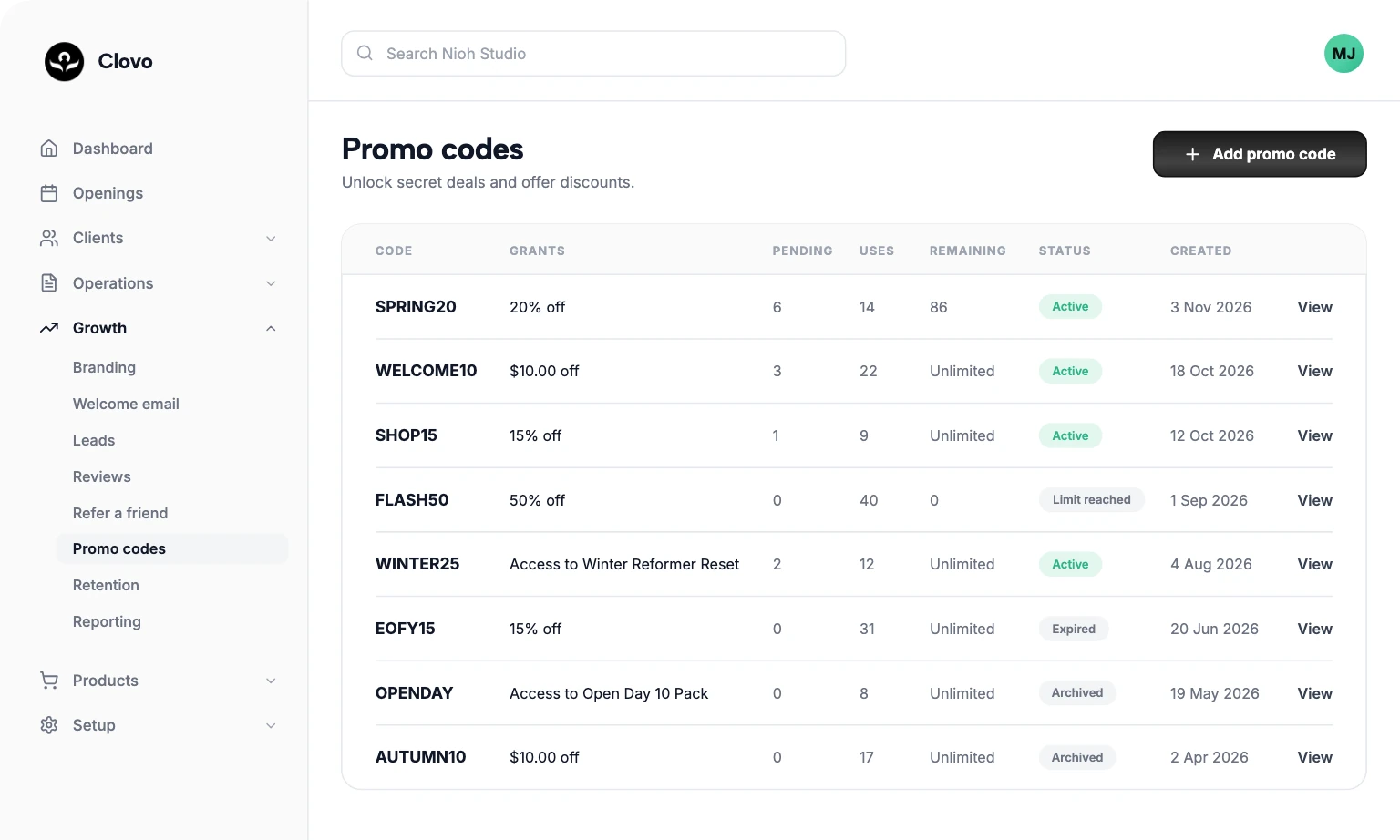
Promo codes can now carry a discount as well as unlock a secret deal. Take a percentage or a dollar amount off memberships and packs, then extend it to Member Shop orders and single classes when that suits the campaign. Share the code on a flyer, in a newsletter or with a partner business, and each client enters it for themselves.
Choose whether a code is for new clients or existing members, set an expiry date or a limit on redemptions, and see how each code is performing, from the clients who saved it to the ones who went on to buy. Every offer becomes something you can measure and repeat.
Introductory pricing gives a new membership a lower price for its first billing periods, then moves members to your normal price automatically. A welcoming start with introductory pricing explains how to make the most of it.
Room for private sessions
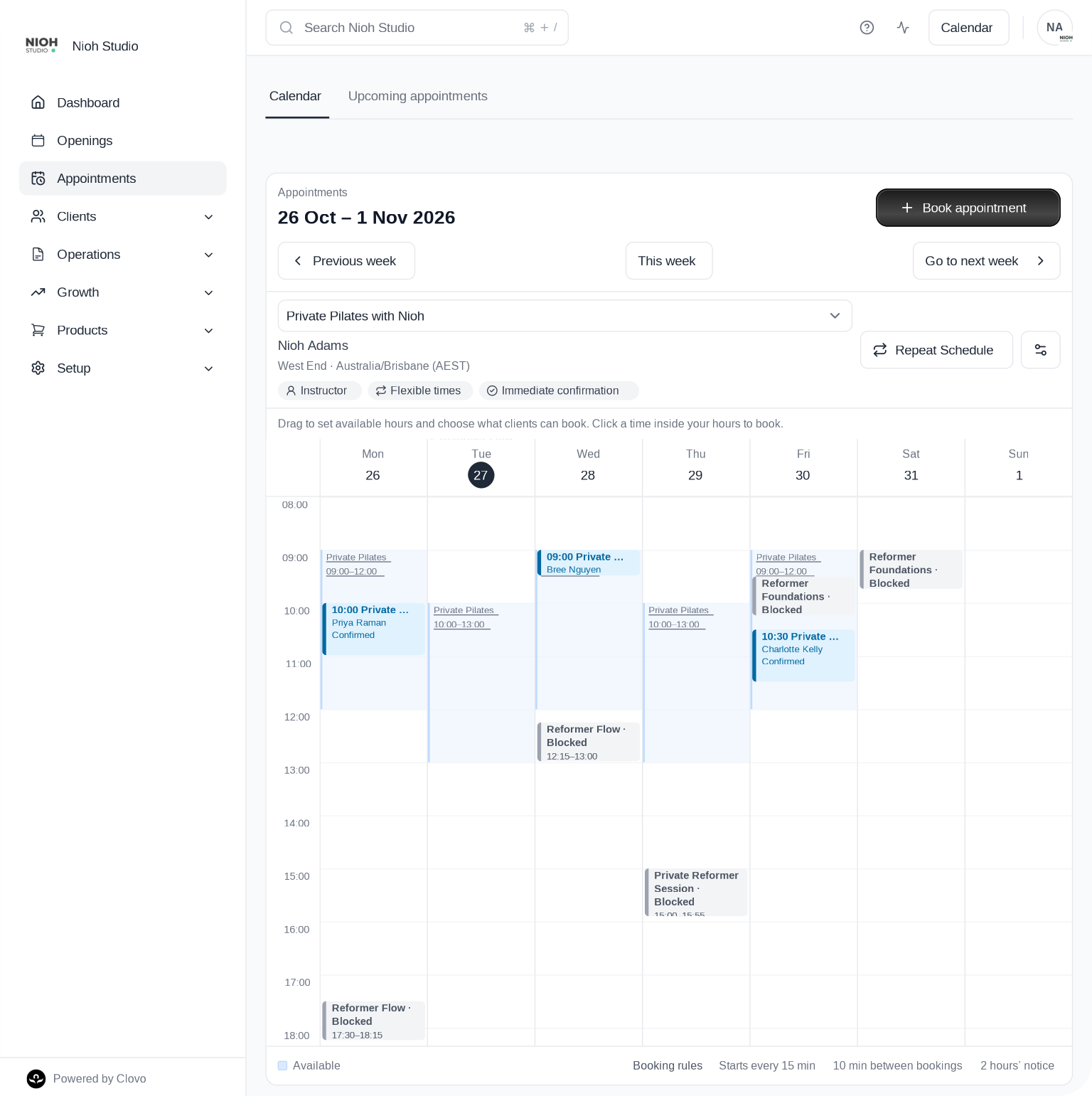
Appointments bring private sessions, consultations and bookable spaces into Clovo alongside your classes. Offer flexible hours or fixed times, confirm bookings straight away or after staff approval, and take payment by card or through an appointment allowance in a membership or pack.
Appointments sit beside your classes on the calendar, so the whole day is in one view. Preparation details, follow-up forms and rebooking reminders help each session lead to the next. Read the full story in Make room for more with Appointments.
Turn enquiries into new clients
Your Clovo landing page now includes a contact form, so people can ask a question before they create an account. Every enquiry becomes a lead your team can assign, give a follow-up date, add notes to and mark as hot, warm or cold, then move from New and Contacted through to a booked trial. Enquiries that arrive by phone or in person can be added as leads too.
When someone joins with the same email address, Clovo suggests linking their lead to the new client record, so you can see which conversations became members. Enquiries and other staff alerts can also reach your team in Slack, Microsoft Teams or Discord, with each channel receiving only the alerts you choose. See how to send staff alerts to a Slack channel.
A timetable that fits the way you teach
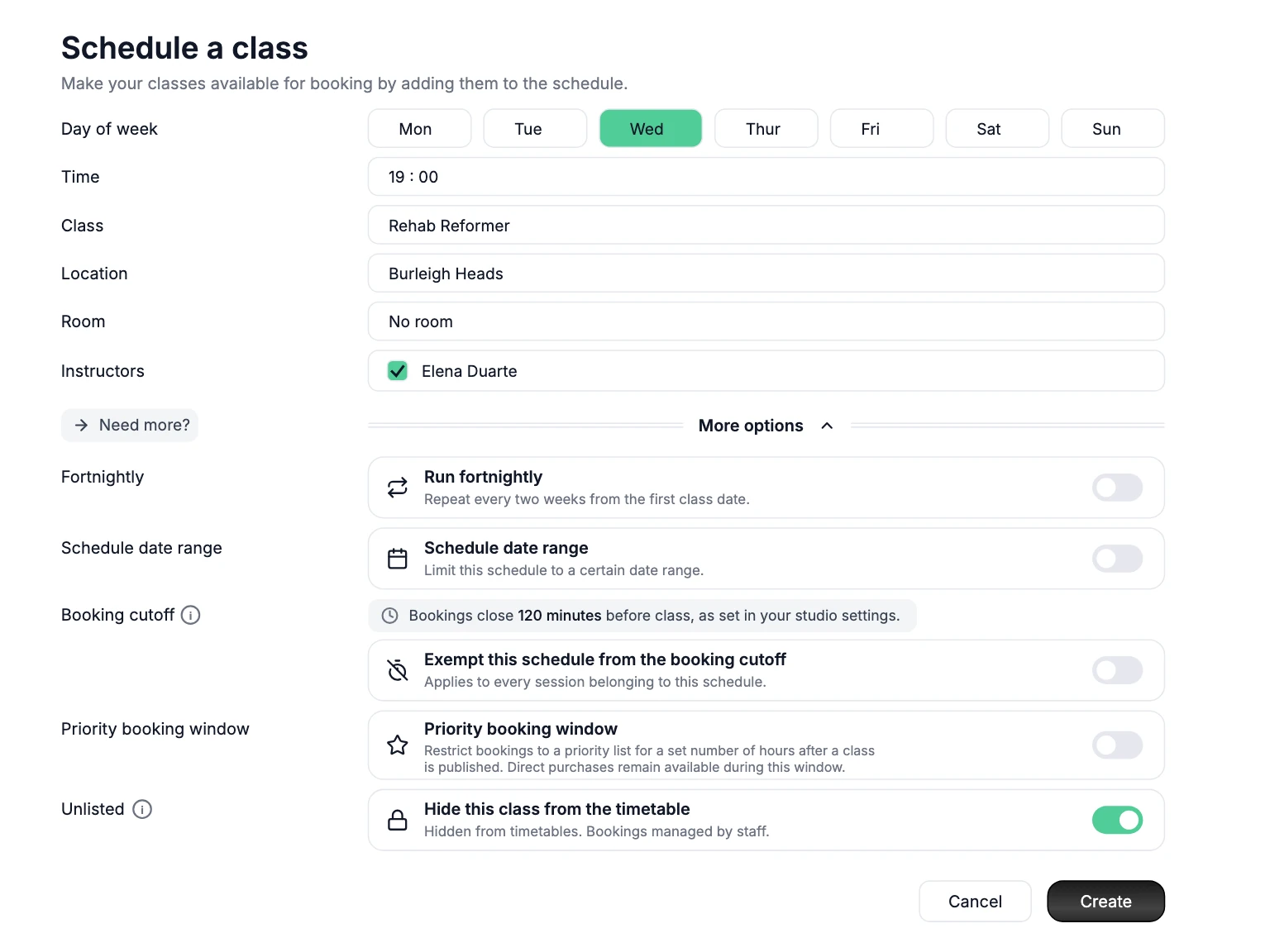
Fortnightly classes run every second week, or alternate two classes in the same time slot from one week to the next. Unlisted schedules keep a rehab group or closed course off your public timetable, while your team and regulars can still book it.
When plans change, you can run a different class in a booked spot: clients keep their place and everyone booked or waitlisted is told. You can reopen a cancelled class so clients can book again, and selected schedules can stay open for bookings until class starts while the rest of your timetable follows your booking cutoff.
The right class for every level
Skill levels show clients the level of each class wherever they book. Every studio starts with Beginner, Intermediate and Advanced, which you can rename, reorder or extend to suit the way you teach.
When a class needs clients to have built a foundation first, turn on booking restrictions and Clovo accepts bookings only from clients at that level or above. Your team can still book someone in when they judge it is right, so the rule supports your instructors rather than replacing their judgement.
A year worth celebrating
Throughout December, members can play back their year with your studio. Their year in review tells the story of the classes they attended, the minutes they moved, the class and instructor they returned to most, their longest weekly streak and the achievements they reached along the way.
Each recap carries your studio’s name and logo, opening with their year at your studio and closing with an invitation to see you again in 2027. Members can share any moment as an image that invites friends to book with you through Clovo, turning a personal milestone into a recommendation for your studio.
Booking that fits real life
Members who hold more than one membership or pack can choose which one to use for each class. Families can book and cancel each person separately from one account, so plans can change for one person without affecting anyone else.
Joining a studio now takes a single step, with new members confirming their email address using a short code instead of creating a password. Members will also notice a refreshed design across Clovo, with fuller instructor profiles, a dedicated reviews screen, Program Notes kept with past bookings, and a prompt to switch notifications back on if they have been turned off, so reminders and class updates keep arriving.
Records and payments that stay in order
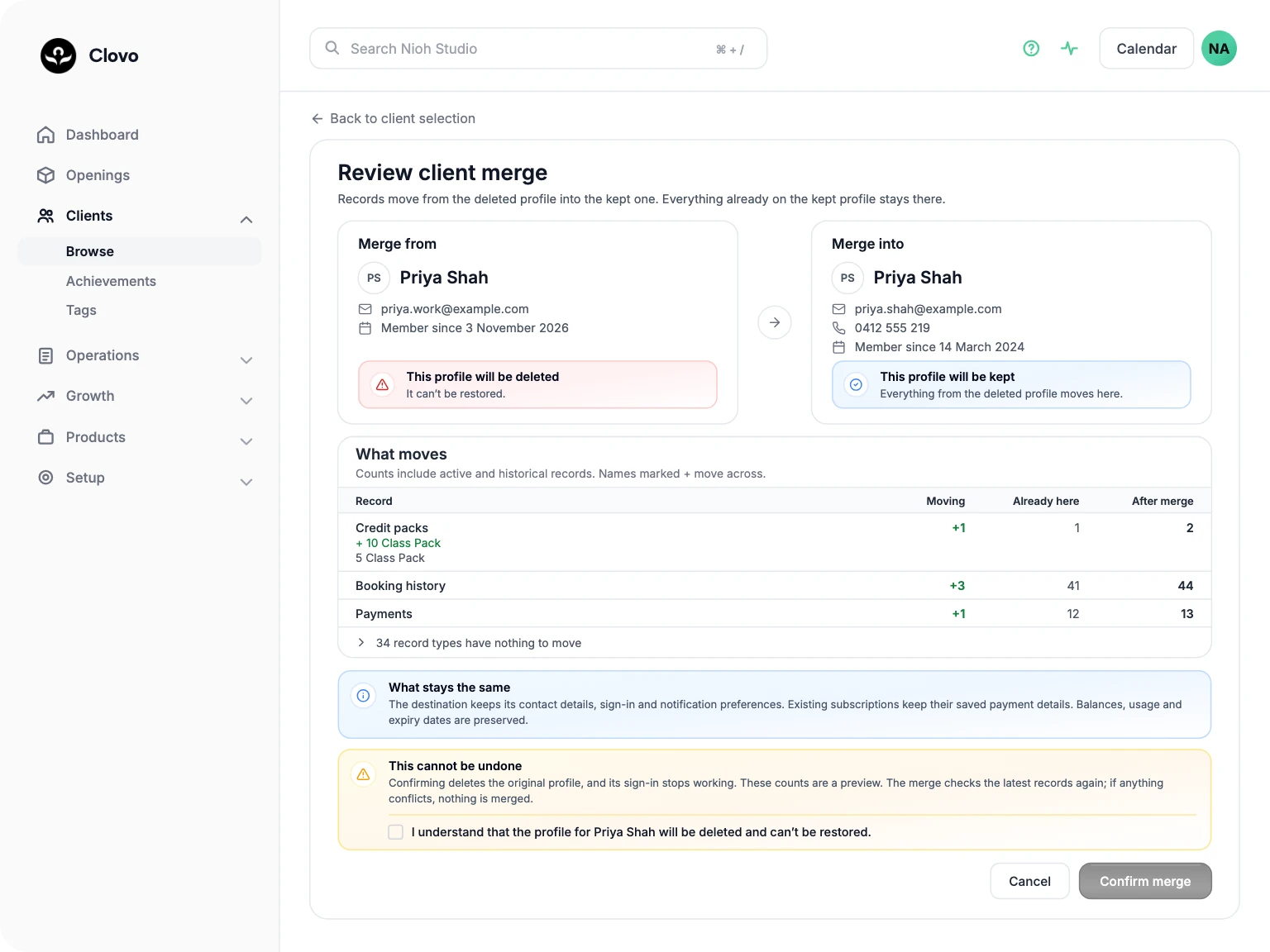
Merge duplicate client profiles when someone has joined twice. Choose the profile to keep and review exactly what will move across before you confirm, so bookings, packs and payments end up in one place.
Penalties that need attention now appear as soon as your team signs in. Retry a collection that failed, waive a fee with a reason or mark it uncollectible, whether you are at the front desk or on the studio floor. When a renewal payment will not be recovered, you can cancel the failed payment so it stops retrying, and any payment hold on the membership is released once nothing else is outstanding.
Across Clovo, Ghost Alert is now simply Retention, staff can confirm Member Shop pickups on the go, emails about a moved class show the original time beside the new one, setting up a new studio is easier to follow, your studio’s home screen loads faster, and keyboard navigation and account security have been strengthened throughout.
Explore the linked guides to put these changes to work in your studio. If you are considering Clovo, start setting up your studio and see how it all fits together.